
Top Related Projects

uBlock Origin - An efficient blocker for Chromium and Firefox. Fast and lean.

Privacy Badger is a browser extension that automatically learns to block hidden trackers

Brave's Rust-based adblock engine
Quick Overview
AdguardBrowserExtension is an open-source browser extension for ad blocking and privacy protection. It offers advanced features like custom filtering rules, stealth mode, and protection against tracking. The extension is available for various browsers and is maintained by the AdGuard team.
Pros
- Powerful ad blocking capabilities with customizable filter lists
- Enhanced privacy protection features, including anti-tracking and stealth mode
- Regular updates and active development by a dedicated team
- Open-source, allowing for community contributions and transparency
Cons
- May interfere with some website functionalities due to aggressive blocking
- Requires some technical knowledge to fully utilize custom filtering rules
- Can potentially slow down browsing speed on older devices or with many filters enabled
- Some advanced features may be overwhelming for casual users
Code Examples
As this is a browser extension and not a code library, there are no specific code examples to provide. However, users can create custom filtering rules. Here's an example of a basic filtering rule:
example.com##.ad-banner
This rule would hide elements with the class "ad-banner" on example.com.
Getting Started
To get started with AdguardBrowserExtension:
- Visit the project's GitHub repository: https://github.com/AdguardTeam/AdguardBrowserExtension
- Download the extension for your browser from the official website or browser store
- Install the extension in your browser
- Configure the extension settings according to your preferences
- Optionally, create custom filtering rules or enable additional protection features
For developers interested in contributing:
- Fork the repository
- Clone your fork:
git clone https://github.com/your-username/AdguardBrowserExtension.git - Install dependencies:
npm install - Make your changes and submit a pull request
Competitor Comparisons
uBlock Origin - An efficient blocker for Chromium and Firefox. Fast and lean.
Pros of uBlock
- Lighter on system resources, offering better performance
- More customizable with advanced features for power users
- Larger community-driven filter lists and frequent updates
Cons of uBlock
- Less user-friendly interface for beginners
- Fewer built-in features compared to AdGuard's comprehensive suite
- Limited official support channels
Code Comparison
uBlock (manifest.json):
{
  "manifest_version": 2,
  "name": "uBlock Origin",
  "version": "1.44.4",
  "description": "Finally, an efficient blocker. Easy on CPU and memory."
}
AdGuard Browser Extension (manifest.json):
{
  "manifest_version": 2,
  "name": "__MSG_name__",
  "short_name": "__MSG_short_name__",
  "version": "4.1.55",
  "description": "__MSG_description__"
}
The code comparison shows that uBlock uses a simpler manifest structure with hardcoded values, while AdGuard utilizes localization placeholders for multi-language support. This reflects uBlock's focus on efficiency and AdGuard's emphasis on user-friendly features and broader accessibility.
Privacy Badger is a browser extension that automatically learns to block hidden trackers
Pros of Privacy Badger
- Automatically learns to block trackers without relying on predefined lists
- Focuses on protecting user privacy rather than just blocking ads
- Open-source and maintained by a non-profit organization (EFF)
Cons of Privacy Badger
- May not block as many ads as AdguardBrowserExtension
- Less customizable and fewer features compared to AdguardBrowserExtension
- Potentially higher false-positive rate due to its learning algorithm
Code Comparison
Privacy Badger (JavaScript):
function updateOrigin(tabId, frameId, origin, action) {
  if (!origin) {
    return;
  }
  if (action == constants.NO_ACTION) {
    return;
  }
  badger.storage.touchDNTRecheckTime(origin, Date.now());
  badger.storage.setupHeuristicAction(origin, action);
}
AdguardBrowserExtension (TypeScript):
export const updateContentBlockerInfo = (
    tabId: number,
    frameId: number,
    documentUrl: string,
    filteringInfo: ContentBlockerInfo,
): void => {
    const tab = tabsApi.get(tabId);
    if (!tab) {
        return;
    }
    tab.updateContentBlockerInfo(frameId, documentUrl, filteringInfo);
};
Both extensions use similar approaches to update blocking information for specific origins or frames, but AdguardBrowserExtension uses TypeScript for improved type safety and maintainability.
Brave's Rust-based adblock engine
Pros of adblock-rust
- Written in Rust, offering better performance and memory safety
- Designed as a library, allowing easier integration into various projects
- More actively maintained with frequent updates
Cons of adblock-rust
- Less feature-rich compared to AdguardBrowserExtension
- Primarily focused on ad-blocking, while AdguardBrowserExtension offers additional privacy features
- Steeper learning curve for developers not familiar with Rust
Code Comparison
AdguardBrowserExtension (JavaScript):
export function isThirdParty(requestUrl, documentUrl) {
    const requestHost = getHost(requestUrl);
    const documentHost = getHost(documentUrl);
    return !isFirstParty(requestHost, documentHost);
}
adblock-rust (Rust):
pub fn is_third_party(request_url: &str, document_url: &str) -> bool {
    let request_host = get_host(request_url);
    let document_host = get_host(document_url);
    !is_first_party(&request_host, &document_host)
}
The code comparison shows similar functionality implemented in different languages. AdguardBrowserExtension uses JavaScript, while adblock-rust utilizes Rust's strong typing and ownership model. The Rust implementation may offer better performance and memory safety, but the JavaScript version might be more accessible to web developers.
Convert  designs to code with AI

Introducing Visual Copilot: A new AI model to turn Figma designs to high quality code using your components.
Try Visual CopilotREADME

Ad blocker with advanced privacy protection features
AdGuard is a fast and lightweight ad blocking browser extension
that effectively blocks all types of ads and trackers.
AdGuard.com |
Reddit |
Twitter |
Telegram


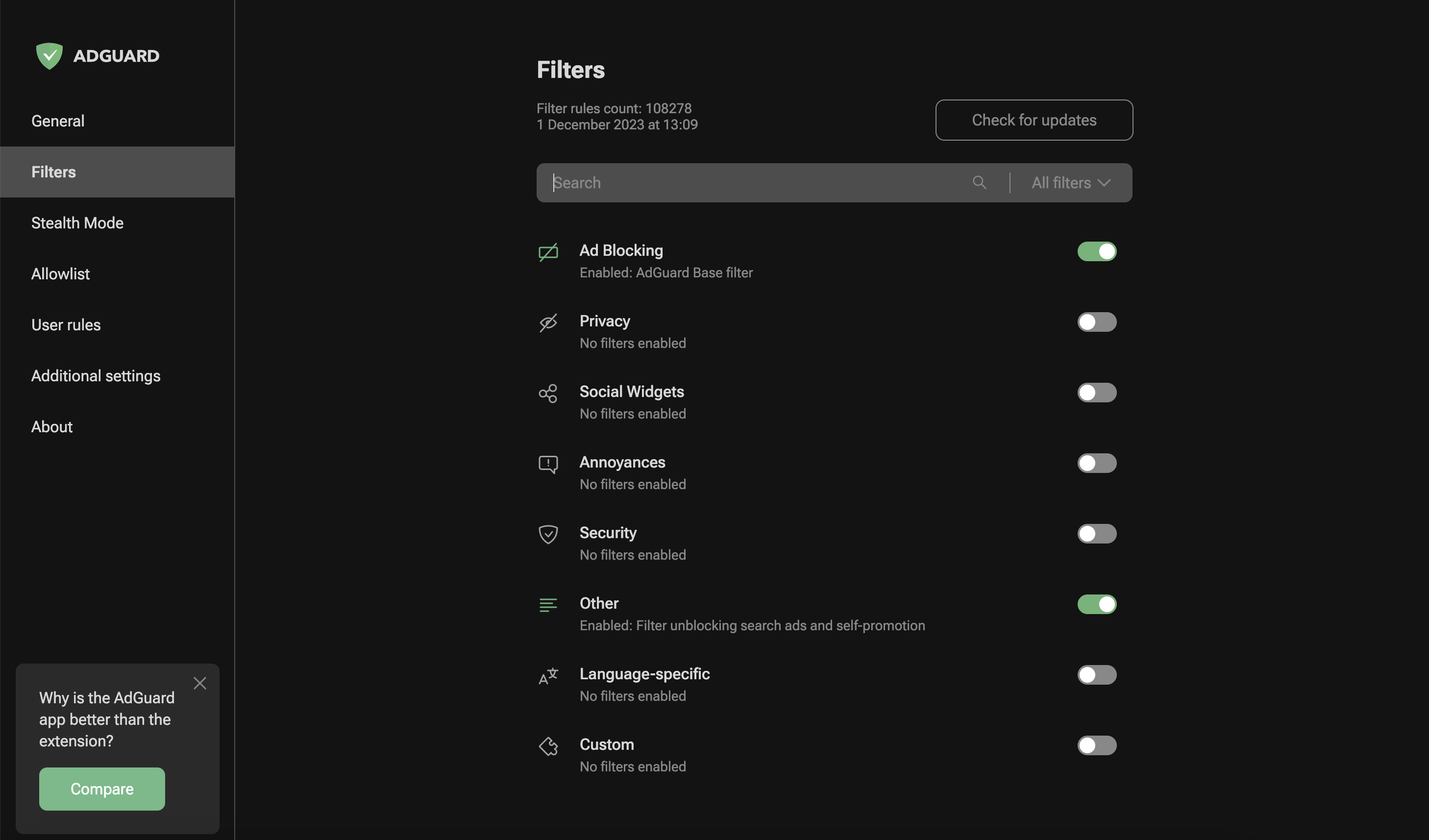
AdGuard is a fast and lightweight ad blocking browser extension that effectively blocks all types of ads and trackers on all web pages. We focus on advanced privacy protection features to not just block known trackers, but prevent web sites from building your shadow profile. Unlike its standalone counterparts (AG for Windows, Mac), the browser extension is completely free and open source. You can learn more about the difference here.
AdGuard does not collect any information about you, and does not participate in any acceptable ads program. The only source of income we have is selling premium versions of our software, and we intend to keep it that way.
- Installation
- Contribution
- Development
- Deployment
- Getting Started
- Permissions
- Auto-publish builds
- Versioning Schema
- Minimum supported browser versions
- Documentation
Installation
Chrome and Chromium-based browsers
Install from the Chrome Web Store.
Firefox
Install from the Mozilla Add-ons website.
Opera
Install from the Opera Add-ons store.
Microsoft Edge
Install from the Microsoft Store.
Contribution
We are blessed to have a community that does not only love AdGuard, but also gives back. A lot of people volunteer in various ways to make other users' experience with AdGuard better, and you can join them!
We, on our part, can only be happy to reward the most active members of the community. So, what can you do?
Translating AdGuard
If you want to help with AdGuard translations, please learn more about translating our products here: https://adguard.com/kb/miscellaneous/contribute/translate/program/
Testing AdGuard
You can get a beta version of AdGuard Browser Extension for any browser. All necessary information on this topic can be found on a dedicated page on our website.
Reporting issues
GitHub can be used to report a bug or to submit a feature request. To do so, go to this page and click the New issue button.
[!NOTE] For the filter-related issues (missed ads, false positives etc.) use the dedicated repository.
Other options
Here is a dedicated page for those who are willing to contribute.
Getting Started
After installing the extension from your browser's store:
- Click the AdGuard icon in the browser toolbar to open the popup. Ad blocking is enabled by default with a recommended set of filter lists.
- Toggle protection on or off for the current website using the main switch in the popup.
- Open settings by clicking the gear icon in the popup to access the full options page.
- Use the Assistant â click the AdGuard icon, then select "Block an element on this page" to visually pick and block unwanted page elements.
The extension works out of the box with sensible defaults.
Permissions required
Common permissions for all browsers and manifest versions
tabs- required to get the URL of the options page tabwebRequest- required to apply cosmetic rules, detect and remove tracking cookies, and count blocked resourcescookies- required to delete cookies from requests or change their lifetimecontextMenus- required to create a context menustorage- required to save user settings, user rules, and custom filtersunlimitedStorage- required to save large filter listswebNavigation- required to catch the moment for injecting scriptletsprivacy- allows access to browser privacy settings; required in Firefox, optional in Chrome/Edge/Opera
Permissions for MV2 only
<all_urls>- grants access to all websites to apply content scripts and filtering ruleswebRequestBlocking- required to block or modify HTTP requests synchronously
Permissions for MV3 only
host_permissions- grants access to all websites (MV3 uses this instead of<all_urls>)userScripts- required to let the user subscribe to custom filter lists and evaluate rules from these listsscripting- required to inject the assistant script into pagesdeclarativeNetRequest- required to block, redirect, and modify URL requestsdeclarativeNetRequestFeedback- required to create a log of the blocked, redirected, or modified URL requests
Auto-publish builds
Due to the transition from MV2 to MV3, we cannot update our filters remotely. To keep the filters as fresh as possible, we have configured automated tasks in our CI plans. These tasks will build a new version of the extension with only the updated @adguard/dnr-rulesets package, which contains new static rulesets.
Auto-update cycle
We have set up an automated update cycle that regularly syncs with fresh releases from the @adguard/dnr-rulesets npm package. The update frequency is configured in our CI build schedule. This ensures our extension stays up-to-date with the latest filter rules.
To deploy new releases as soon as possible, we have implemented all the steps outlined in Chrome's Skip Review documentation. This allows us to publish updates to the Chrome Web Store without waiting for the full review cycle.
Skip review restrictions
However, there is an important restriction when using the "skip review" option: we cannot update the extension with skip review if it contains changes to filtering script rules. This is because all script rules are collected during build time into a file called local_script_rules.js (for safe use them with the scripting API).
Therefore, any updates that include changes to script rules will require the full review cycle in the Chrome Web Store as usual.
Build process
These automated tasks will run all necessary checks: unit tests, translation checks, and linter. After that, they will update resources, including filters and local script rules, create a build, and run integration tests to ensure the update is safe.
Finally, the new version of the extension will be published to the Chrome Web Store.
Versioning Schema
The extension uses the following versioning schema:
major.minor.patch+autoBuildIncrementVersion.buildTag.dnrRulesetsVersion
- major.minor.patch: Standard semantic versioning for the extension codebase.
- autoBuildIncrementVersion: An incrementing number used as the fourth part of the manifest version (e.g.,
88in5.2.1.88). - buildTag: A delimiter indicating the build's readiness.
- dnrRulesetsVersion: The patch version of the DNR rulesets, which includes the build date for those rulesets.
Example: 5.2.1+88.beta.20251014
But for build versions we will use following format: major.minor.patch.autoBuildIncrementVersion to comply with the browser requirements for version.
Minimum supported browser versions
The extension supports both Manifest V2 (MV2) and Manifest V3 (MV3) platforms. MV3 is the newer extension platform required by Chrome and other Chromium-based browsers going forward.
| Browser | Version |
|---|---|
| Chromium-based browsers MV2 | â 106 |
| Chromium-based browsers MV3 | â 121 |
| Firefox | â 78 |
| Firefox Mobile | â 113 |
| Opera | â 67 |
| Opera MV3 | â 107 |
| Edge Chromium | â 80 |
| Edge Legacy | â |
Documentation
- Development â development setup and build instructions
- Changelog â version history
- LLM agent rules â guidance for AI coding assistants
Top Related Projects
uBlock Origin - An efficient blocker for Chromium and Firefox. Fast and lean.
Privacy Badger is a browser extension that automatically learns to block hidden trackers
Brave's Rust-based adblock engine
Convert designs to code with AI
Introducing Visual Copilot: A new AI model to turn Figma designs to high quality code using your components.
Try Visual Copilot