
Quick Overview
Error generating quick overview
Convert  designs to code with AI

Introducing Visual Copilot: A new AI model to turn Figma designs to high quality code using your components.
Try Visual CopilotREADME
DNSControl


DNSControl is Infrastructure as Code for DNS. It includes a full-featured configuration language (Javascript-compatible), plus "plug-ins" that speak to DNS provider APIs such as AWS Route 53, Cloudflare, and Gandi. It can send the same DNS records to multiple providers. It runs anywhere Go runs (Linux, macOS, Windows). The provider model is extensible, so more providers can be added.
An Example
dnsconfig.js:
// define our registrar and providers
var REG_NAMECOM = NewRegistrar("ndc_main");
var DSP_ROUTE53 = NewDnsProvider("r53_main")

D("example.com", REG_NAMECOM, DnsProvider(DSP_ROUTE53),
  A("@", "1.2.3.4"),
  CNAME("www","@"),
  MX("@",5,"mail.myserver.com."),
  A("test", "5.6.7.8")
)
Running dnscontrol preview will talk to the providers (here name.com as registrar and route 53 as the dns host), and determine what changes need to be made.
Running dnscontrol push will make those changes with the provider and my dns records will be correctly updated.
The easiest way to run DNSControl is to use the Docker container:
docker run --rm -it -v "$(pwd):/dns" ghcr.io/dnscontrol/dnscontrol preview
Want full "GitOps" control of your DNS data? Clone this repo to get started! github.com/DNSControl/dns-config
See Getting Started page on documentation site to get started!
Supported Providers
DNSControl supports 65 DNS providers and registrars:
¹also supports registrar functions ²registrar only
Benefits
- Less error-prone than editing a BIND zone file.
- More reproducible than clicking buttons on a web portal.
- Easily switch between DNS providers: The DNSControl language is vendor-agnostic. If you use it to maintain your DNS zone records, you can switch between DNS providers easily. In fact, DNSControl will upload your DNS records to multiple providers, which means you can test one while switching to another. We've switched providers 3 times in three years and we've never lost a DNS record.
- Apply CI/CD principles to DNS! StackOverflow maintains their DNSControl configurations in Git and use our CI system to roll out changes. Keeping DNS information in a VCS means we have full history. Using CI enables us to include unit-tests and system-tests. Remember when you forgot to include a "." at the end of an MX record? We haven't had that problem since we included a test to make sure Tom doesn't make that mistake... again.
- Adopt (GitOps) PR-based updates. Allow developers to send updates as PRs, which you can review before you approve.
- Variables save time! Assign an IP address to a constant and use the variable name throughout the file. Need to change the IP address globally? Just change the variable and "recompile."
- Macros! Define your SPF records, MX records, or other repeated data once and re-use them for all domains.
- Control Cloudflare from a single source of truth. Enable/disable Cloudflare proxying (the "orange cloud" button) directly from your DNSControl files.
- Keep similar domains in sync with transforms and other features. If one domain is supposed to be a filtered version of another, this is easy to set up.
- It is extendable! All the DNS providers are written as plugins. Writing new plugins is very easy.
Installation
DNSControl can be installed via packages for macOS, Linux and Windows, or from source code. See the official instructions.
Via GitHub Actions (GHA)
The official Github Action is: github.com/dnscontrol/dnscontrol-action
Others have been created such as:
Deprecation warnings (updated 2025-11-21)
- REV() will switch from RFC2317 to RFC4183 sometime after v5.0 is released. This is a breaking change. Warnings are output if your configuration is affected. See https://docs.dnscontrol.org/language-reference/top-level-functions/revcompat
- NAMEDOTCOM, OPENSRS, and SOFTLAYER need maintainers! These providers have no maintainer. Maintainers respond to PRs and fix bugs in a timely manner, and try to stay on top of protocol changes. Interested in being a hero and adopting them? Contact tal at what exit dot org.
Contributing
Want to contribute? Whether it's fixing a bug, adding a new DNS provider, or improving documentation, contributions are welcome. See CONTRIBUTING.md for how to get started.
More info at our website
The website: https://docs.dnscontrol.org/
The getting started guide: https://docs.dnscontrol.org/getting-started/getting-started
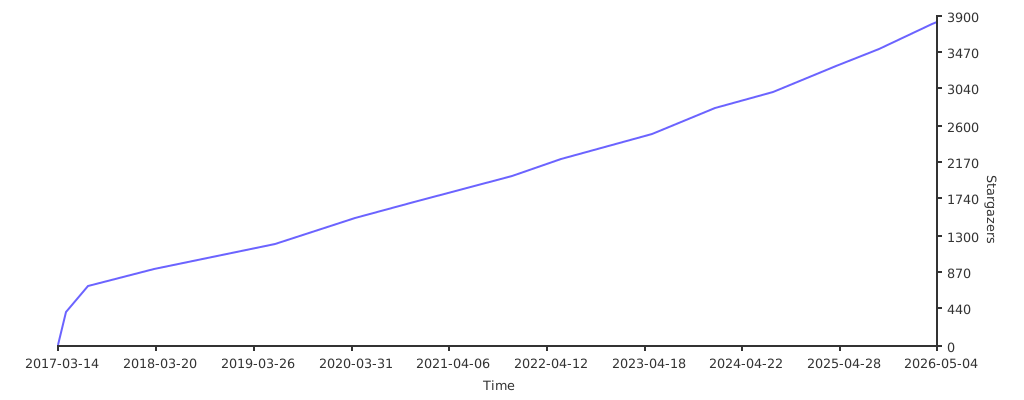
Stargazers over time
Convert designs to code with AI
Introducing Visual Copilot: A new AI model to turn Figma designs to high quality code using your components.
Try Visual Copilot