 gantt-schedule-timeline-calendar
Gantt Gantt Gantt Timeline Schedule Calendar [ javascript gantt, js gantt, projects gantt, timeline, scheduler, gantt timeline, reservation timeline, react gantt, angular gantt, vue gantt, svelte gantt, booking manager ]
Top Related Projects

JavaScript Gantt Chart

jQuery Gantt editor

🍞📅A JavaScript calendar that has everything you need.

A datepicker for twitter bootstrap (@twbs)
Quick Overview
Gantt-Schedule-Timeline-Calendar (GSTC) is a powerful JavaScript library for creating interactive Gantt charts, schedules, and timelines. It offers a highly customizable and feature-rich solution for visualizing and managing time-based data in web applications.
Pros
- Highly customizable with numerous configuration options
- Supports various view modes (day, week, month, year)
- Responsive design and touch-friendly for mobile devices
- Extensive API for programmatic control and integration
Cons
- Steep learning curve due to its complexity and extensive features
- Limited documentation and examples for advanced use cases
- Requires a commercial license for production use
- Large file size may impact initial load times for web applications
Code Examples
- Basic initialization:
import GSTC from 'gantt-schedule-timeline-calendar';

const config = {
  licenseKey: 'YOUR_LICENSE_KEY',
  list: {
    columns: {
      data: [
        {
          id: 'id',
          header: 'ID',
          width: 50
        },
        {
          id: 'name',
          header: 'Name',
          width: 200
        }
      ]
    }
  },
  chart: {
    items: [
      {
        id: '1',
        name: 'Task 1',
        start: '2023-05-01',
        end: '2023-05-10'
      }
    ]
  }
};

const element = document.getElementById('gstc');
const gstc = GSTC.api.create(element, config);
- Adding custom actions:
const config = {
  // ... other config options
  actions: {
    'my-action': (element, action) => {
      console.log('Custom action triggered:', action);
    }
  }
};

// Trigger the custom action
gstc.api.triggerAction('my-action', { someData: 'example' });
- Updating items dynamically:
const newItems = [
  {
    id: '2',
    name: 'New Task',
    start: '2023-05-15',
    end: '2023-05-20'
  }
];

gstc.api.mergeState({
  [GSTC.api.ITEM_TYPE]: GSTC.api.merge(gstc.state.get()[GSTC.api.ITEM_TYPE], newItems)
});
Getting Started
-
Install the package:
npm install gantt-schedule-timeline-calendar -
Import and initialize GSTC in your project:
import GSTC from 'gantt-schedule-timeline-calendar'; import 'gantt-schedule-timeline-calendar/dist/style.css'; const element = document.getElementById('gstc'); const config = { licenseKey: 'YOUR_LICENSE_KEY', list: { columns: { /* ... */ } }, chart: { items: [ /* ... */ ] } }; const gstc = GSTC.api.create(element, config); -
Customize the chart as needed using the extensive API and configuration options provided by GSTC.
Competitor Comparisons
JavaScript Gantt Chart
Pros of DHTMLX/gantt
- More mature and feature-rich, with a longer development history
- Extensive documentation and examples available
- Offers both open-source and commercial versions with additional features
Cons of DHTMLX/gantt
- Less flexible and customizable compared to gantt-schedule-timeline-calendar
- Steeper learning curve due to its comprehensive feature set
- Commercial version required for some advanced features
Code Comparison
gantt-schedule-timeline-calendar:
import { gantt } from 'gantt-schedule-timeline-calendar';

const g = new gantt('#container', {
  list: { columns: ['id', 'text'] },
  chart: { time: { zoom: 20, period: 'day' } }
});
DHTMLX/gantt:
gantt.init("gantt_here");
gantt.parse({
  data: [
    { id: 1, text: "Task 1", start_date: "2023-05-01", duration: 3 },
    { id: 2, text: "Task 2", start_date: "2023-05-04", duration: 2 }
  ]
});
Both libraries offer easy initialization and data parsing, but DHTMLX/gantt has a more straightforward API for basic usage. gantt-schedule-timeline-calendar provides more granular control over chart configuration.
jQuery Gantt editor
Pros of jQueryGantt
- Lightweight and easy to integrate with existing jQuery-based projects
- Supports resource management and allocation
- Includes built-in export functionality for PDF and PNG formats
Cons of jQueryGantt
- Relies on jQuery, which may not be ideal for modern web applications
- Less frequent updates and maintenance compared to gantt-schedule-timeline-calendar
- Limited customization options for advanced use cases
Code Comparison
gantt-schedule-timeline-calendar:
import { gantt } from 'gantt-schedule-timeline-calendar';

const g = new gantt('#container', {
  items: [...],
  rows: [...],
  columns: [...]
});
jQueryGantt:
$("#gantt").gantt({
  source: tasks,
  scale: "weeks",
  minScale: "days",
  maxScale: "months"
});
The code comparison shows that gantt-schedule-timeline-calendar uses a more modern, modular approach with ES6 imports, while jQueryGantt relies on jQuery plugin syntax. gantt-schedule-timeline-calendar offers more granular control over items, rows, and columns, whereas jQueryGantt provides a simpler configuration with predefined options like scale and source.
🍞📅A JavaScript calendar that has everything you need.
Pros of tui.calendar
- More comprehensive and feature-rich calendar solution
- Better documentation and examples
- Larger community and more frequent updates
Cons of tui.calendar
- Steeper learning curve due to more complex API
- Heavier in terms of file size and performance impact
Code Comparison
tui.calendar:
import Calendar from '@toast-ui/calendar';

const calendar = new Calendar('#calendar', {
  defaultView: 'week',
  template: {
    time: function(schedule) {
      return moment(schedule.start.getTime()).format('HH:mm');
    }
  }
});
gantt-schedule-timeline-calendar:
import { gantt } from 'gantt-schedule-timeline-calendar';

const g = new gantt('#gantt', {
  list: {
    columns: {
      data: [
        { id: 'id', header: 'ID', width: 50 },
        { id: 'name', header: 'Name', width: 200 }
      ]
    }
  }
});
Both libraries offer calendar functionality, but tui.calendar focuses more on traditional calendar views, while gantt-schedule-timeline-calendar specializes in Gantt charts and timeline views. tui.calendar provides more built-in features for general calendar use, while gantt-schedule-timeline-calendar offers more flexibility for project management and scheduling tasks.
A datepicker for twitter bootstrap (@twbs)
Pros of bootstrap-datepicker
- Lightweight and focused on date picking functionality
- Extensive browser compatibility, including older versions
- Easy integration with Bootstrap for consistent styling
Cons of bootstrap-datepicker
- Limited to date selection, lacking timeline or scheduling features
- Less suitable for complex project management or scheduling tasks
- Fewer customization options for advanced use cases
Code Comparison
bootstrap-datepicker:
$('#datepicker').datepicker({
    format: 'mm/dd/yyyy',
    startDate: '-3d'
});
gantt-schedule-timeline-calendar:
const gstc = GSTC({
  element: document.getElementById('gstc'),
  config: {
    list: { rows: rows },
    chart: { items: items }
  }
});
The code snippets demonstrate the simplicity of bootstrap-datepicker for basic date selection, while gantt-schedule-timeline-calendar offers more complex configuration for timeline and scheduling functionality.
bootstrap-datepicker is ideal for simple date input needs, while gantt-schedule-timeline-calendar is better suited for comprehensive project management and scheduling applications requiring visual timelines and advanced features.
Convert  designs to code with AI

Introducing Visual Copilot: A new AI model to turn Figma designs to high quality code using your components.
Try Visual CopilotREADME
gantt-schedule-timeline-calendar
Gantt, schedule, timeline and calendar components all in one!
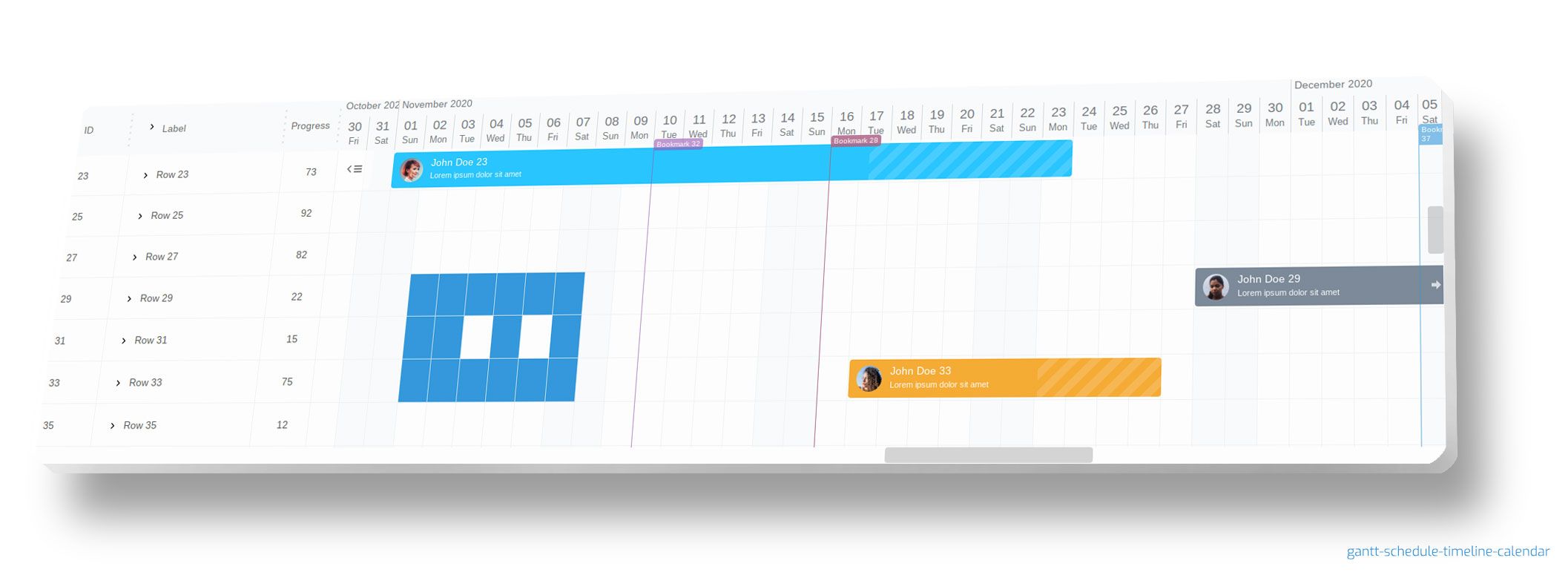
gantt-schedule-timeline-calendar is all-in-one component that you can use in different scenarios.
Keywords: [ gantt, javascript gantt, typescript gantt, project manager, js gantt, js scheduler, js timeline, javascript timeline, javascript schedule, js scheduler, javascript calendar ]







And always remember, to leave a star :star:
FEATURES
- elastic - you can change almost everything from DOM tree to logic (without any compilation, without modifying original code - with config, state or plugin)
- super fast! even with large dataset
- multiple items/tasks in one row - suitable for various applications like booking, reservation, resource manager, multimedia editor etc.
- tree like structures - collapsible / expandable groups
- moveable / resizable items with ability to configure which items can move at the moment and how
- secure html templates
- snap to specified time when resizing / moving
- templates & slots support to easily change html content of each component
- background grid on which you can place your html content
- selectable cells and items with a choice of what can be selected at the moment
- gradual time zoom up to seconds
- resizable list columns (in realtime)
- sortable and searchable list columns
- BEM based CSS rules (easy to change appearance)
- you can easily add third party libraries
- highly configurable
- mobile ready
- Daylight saving time (DST) support
- plugins support
- attractive visually
- written in typescript
- offline license key (after purchase)
You can use it in react, vue, angular, svelte or any other projects.
You can use it as schedule for reservation system. You can use it for organizing events. You can use it as gantt chart. You can use it as calendar for different purposes. You can even use it as a multimedia timeline editor!
gantt-schedule-timeline-calendar is very extensible and elastic. You can make your own plugins or modify configuration in couple of ways to achieve your goals. You can control almost everything. You can change html structure, stylize every html element and even override original components without any compilation stage!
When to choose gantt-schedule-timeline-calendar?
Choose this component if:
- you need a battle-tested component trusted by global enterprises
- you need high-performance Gantt charts with hundreds of thousands of items (faster than competitors)
- you want a fully customizable JavaScript/Typescript component with extensive control over appearance and behavior
- you want advanced scheduling or resource booking UI
- you want to define your own rules for moving tasks
- your project is written in TypeScript
- you want a timeline with ability to show multiple tasks in one row
- you need a component that works on mobile devices
- you need integration with React, Vue 3 (Composition API), Angular or Svelte
- your use case includes zoomable timelines down to seconds
- you need a background grid to place custom HTML content
- you want to hide non working hours/days
- you need Daylight Saving Time (DST) support
GSTC is a powerful, highly customizable JavaScript component that offers full control over both its visual presentation and behavior, allowing developers to tailor it precisely to their needs. Gantt Schedule Timeline Calendar is a high-performance TypeScript library designed to work on mobile devices also. Use it when traditional Gantt charts are too rigid. Perfect for project management applications,reservation systems, Enterprise Resource Planning (ERP, MES, APS) software, any resource management or booking apps. GSTC can handle large datasets (hundreds of thousands of tasks) with ease (using virtual scroll), making it suitable for complex scheduling and timeline visualization tasks. It is the most extensible tool on the market â you can override any DOM element on the fly - without recompiling the source. Most importantly, if you require custom constraints and flexible, dynamic rules for task updates, this tool is the perfect fit for your needs. Powering global enterprises with a proven track record of excellence and user satisfaction. From startups to global conglomerates, our component is the go-to solution for high-performance scheduling, backed by exceptional feedback from our users.
EXAMPLES
You can checkout examples folder too.
To run examples locally, clone this repository and run npm run examples in the root folder.
git clone https://github.com/neuronetio/gantt-schedule-timeline-calendar.git
cd gantt-schedule-timeline-calendar
npm i
npm run examples
REACT, NEXTJS, ANGULAR, SVELTE AND VUE EXAMPLES
- react gantt-schedule-timeline-calendar usage example
- nextjs/react gantt-schedule-timeline-calendar usage example
- angular gantt-schedule-timeline-calendar usage example
- vue gantt-schedule-timeline-calendar usage example
- vue3 composition api with vite gantt-schedule-timeline-calendar example
- svelte gantt-schedule-timeline-calendar usage example
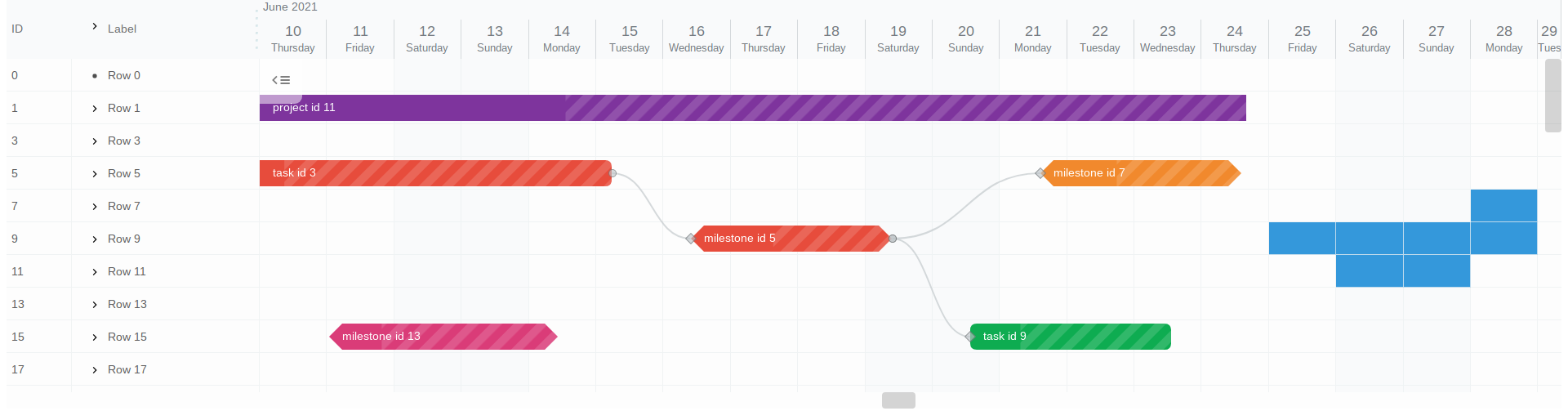
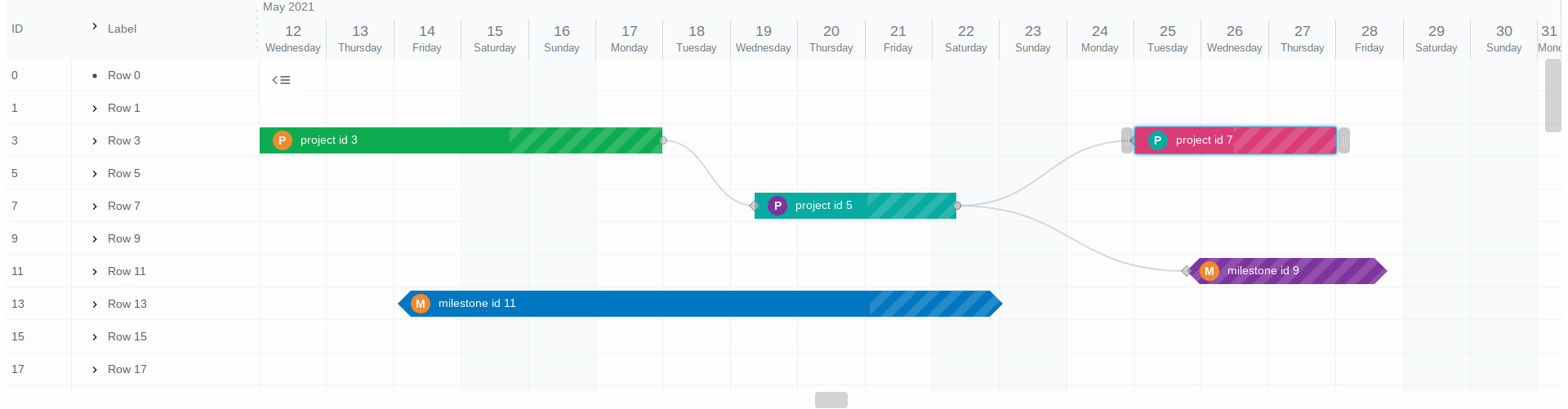
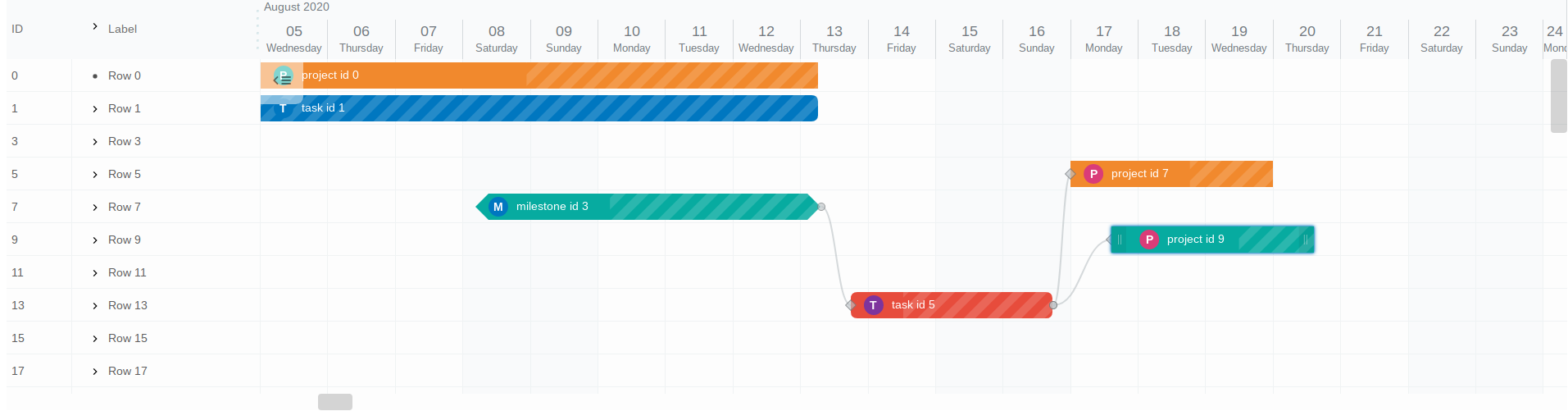
SCREENSHOTS
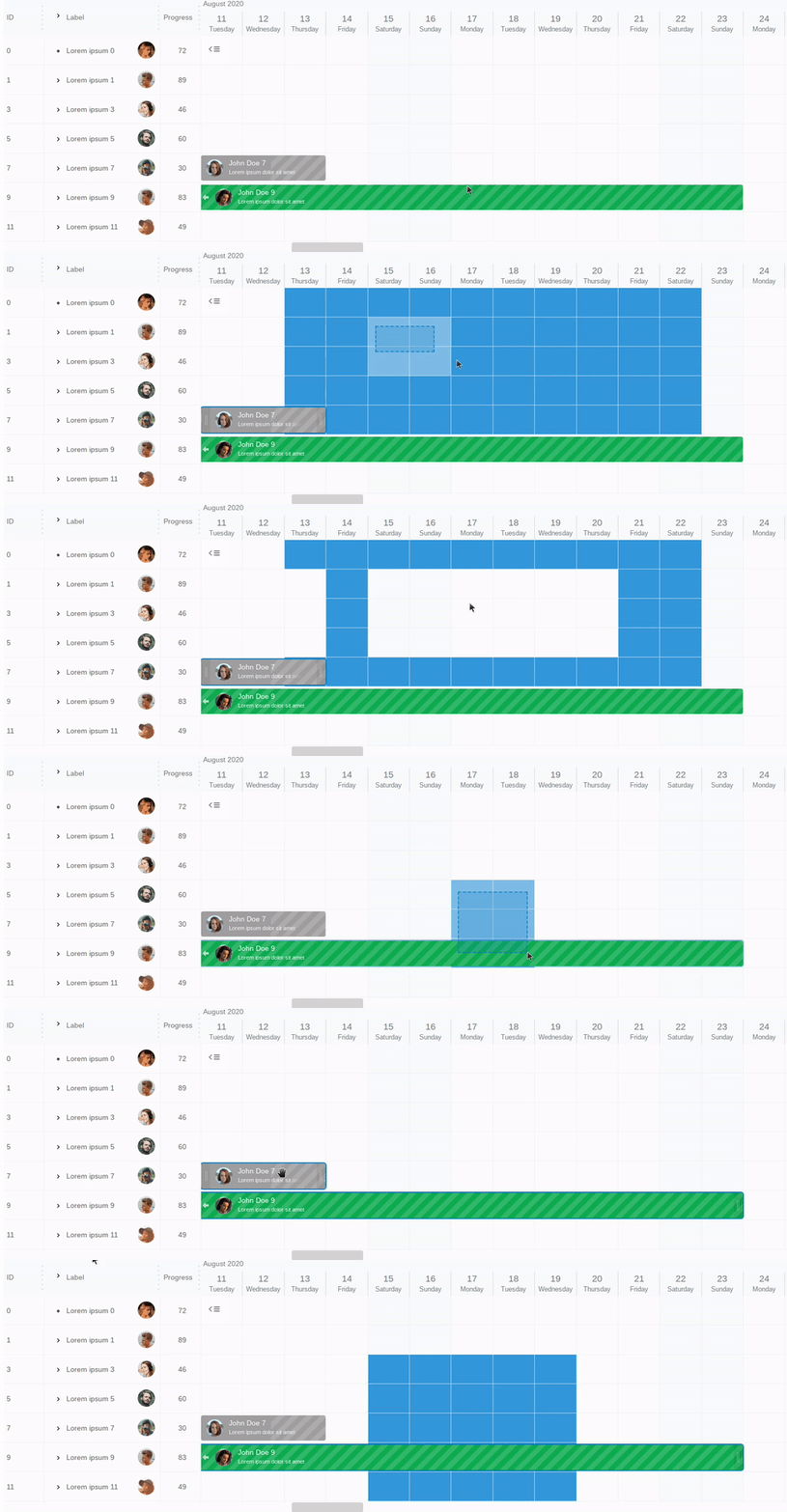
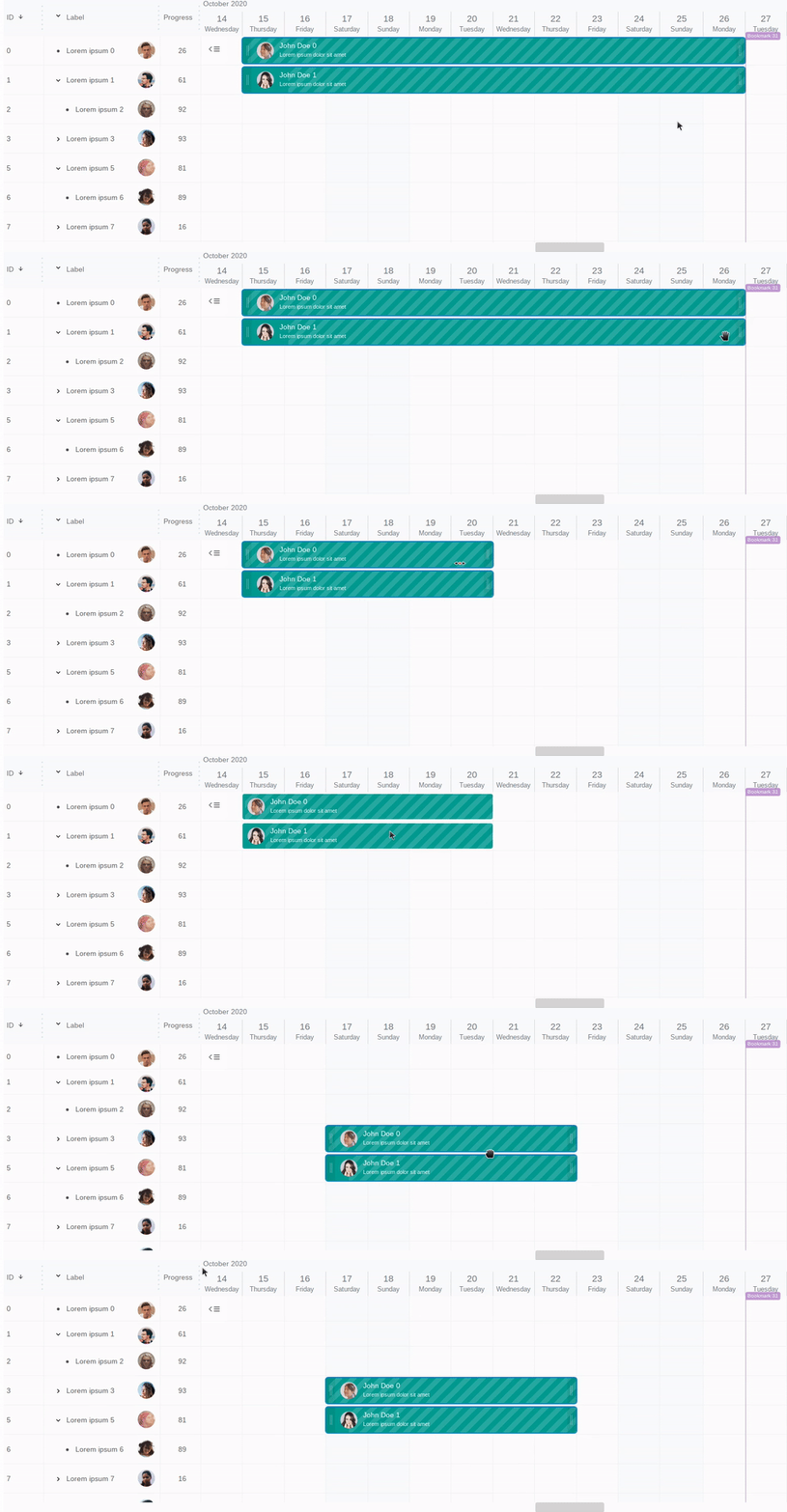
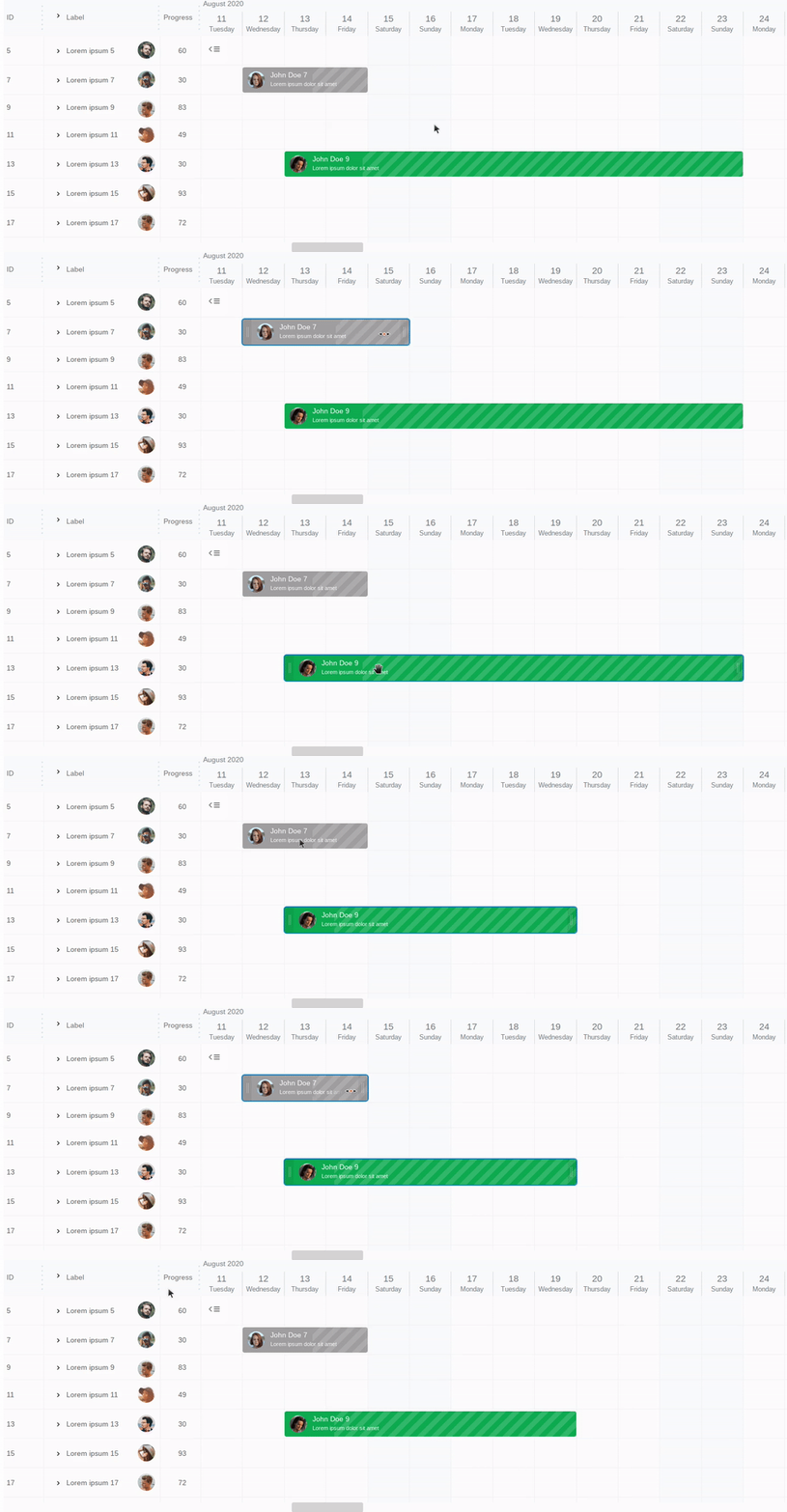
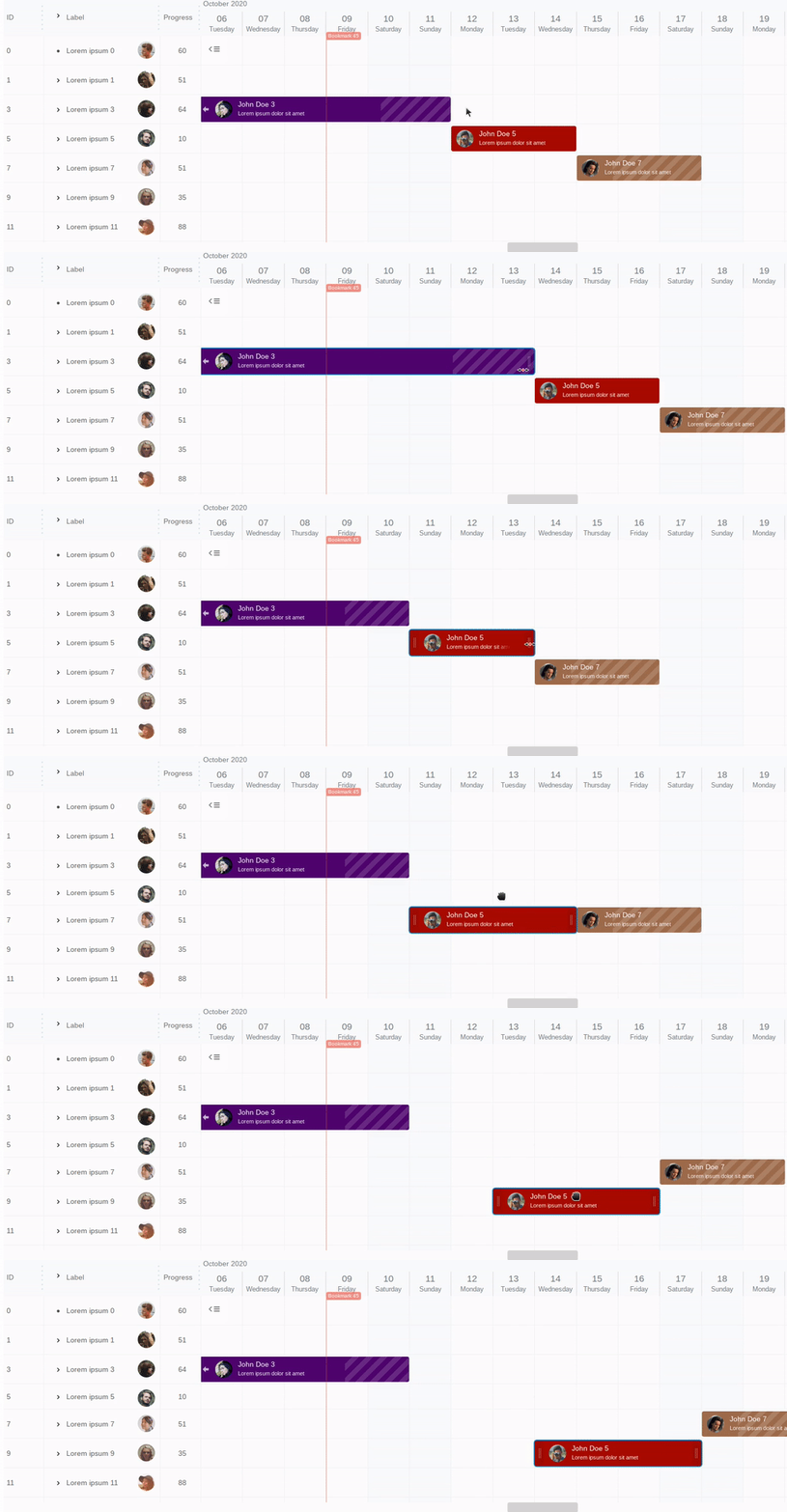
INSTALL
npm i gantt-schedule-timeline-calendar
or
<script src="https://cdn.jsdelivr.net/npm/gantt-schedule-timeline-calendar/dist/gstc.wasm.umd.min.js"></script>
DOCUMENTATION
Documentation can be found here
NEED HELP?
Let us know neuronet.io@gmail.com
LICENSE
NEURONET Free / Trial License Terms
You can generate free or trial license key here. If you need a full commercial license, please visit pricing page.
Top Related Projects
JavaScript Gantt Chart
jQuery Gantt editor
🍞📅A JavaScript calendar that has everything you need.
A datepicker for twitter bootstrap (@twbs)
Convert designs to code with AI
Introducing Visual Copilot: A new AI model to turn Figma designs to high quality code using your components.
Try Visual Copilot