
Top Related Projects

The most popular HTML, CSS, and JavaScript framework for developing responsive, mobile first projects on the web.

A lightweight and modular front-end framework for developing fast and powerful web interfaces

Modern CSS framework based on Flexbox

Semantic is a UI component framework based around useful principles from natural language.

A utility-first CSS framework for rapid UI development.

The most advanced responsive front-end framework in the world. Quickly create prototypes and production code for sites that work on any kind of device.
Quick Overview
Tabler is a free and open-source HTML dashboard UI kit built on Bootstrap. It provides a collection of ready-to-use components and templates for creating modern, responsive admin panels, dashboards, and web applications. Tabler focuses on simplicity, flexibility, and ease of use for developers and designers.
Pros
- Extensive collection of pre-built components and UI elements
- Fully responsive and mobile-friendly design
- Regular updates and active community support
- Customizable and easy to integrate with various backend technologies
Cons
- Limited advanced features compared to some premium dashboard templates
- Requires knowledge of Bootstrap for deeper customization
- Some users may find the design too minimalistic for complex applications
Getting Started
To get started with Tabler, follow these steps:
- Download the latest release from the GitHub repository or use a package manager:
npm install @tabler/core
- Include the necessary CSS and JavaScript files in your HTML:
<link rel="stylesheet" href="path/to/tabler.min.css">
<script src="path/to/tabler.min.js"></script>
- Start using Tabler components in your HTML:
<div class="container">
  <div class="row">
    <div class="col-12">
      <div class="card">
        <div class="card-header">
          <h3 class="card-title">Sample Card</h3>
        </div>
        <div class="card-body">
          <p>This is a sample Tabler card component.</p>
        </div>
      </div>
    </div>
  </div>
</div>
For more detailed instructions and advanced usage, refer to the official Tabler documentation.
Competitor Comparisons
The most popular HTML, CSS, and JavaScript framework for developing responsive, mobile first projects on the web.
Pros of Bootstrap
- Larger community and ecosystem, with more third-party themes and plugins
- More extensive documentation and learning resources
- Better browser compatibility, especially for older versions
Cons of Bootstrap
- Heavier file size, which can impact page load times
- More opinionated design, making it harder to create unique-looking websites
- Steeper learning curve for customization and advanced features
Code Comparison
Tabler button example:
<a href="#" class="btn btn-primary">
  Button
</a>
Bootstrap button example:
<button type="button" class="btn btn-primary">
  Button
</button>
Both frameworks use similar class-based styling approaches, but Tabler tends to favor semantic HTML elements (like <a> for buttons) while Bootstrap often uses more generic elements with additional attributes.
Tabler focuses on providing a clean, modern UI kit with a dashboard-oriented design, while Bootstrap offers a more comprehensive framework for general-purpose web development. Tabler may be preferable for projects requiring a sleek, contemporary look out-of-the-box, whereas Bootstrap's flexibility and extensive documentation make it suitable for a wider range of projects.
A lightweight and modular front-end framework for developing fast and powerful web interfaces
Pros of UIkit
- More comprehensive component library with a wider range of UI elements
- Better documentation and extensive examples for each component
- Stronger focus on responsive design and mobile-first approach
Cons of UIkit
- Steeper learning curve due to its extensive feature set
- Larger file size, which may impact page load times
- Less customizable design out of the box compared to Tabler
Code Comparison
UIkit:
<div class="uk-card uk-card-default">
    <div class="uk-card-header">
        <h3 class="uk-card-title">Card Title</h3>
    </div>
    <div class="uk-card-body">
        <p>Card content</p>
    </div>
</div>
Tabler:
<div class="card">
    <div class="card-header">
        <h3 class="card-title">Card Title</h3>
    </div>
    <div class="card-body">
        <p>Card content</p>
    </div>
</div>
Both frameworks offer similar card components, but UIkit uses the uk- prefix for its classes, while Tabler uses more generic class names. UIkit's approach may help prevent conflicts with other CSS frameworks or custom styles.
Modern CSS framework based on Flexbox
Pros of Bulma
- Lightweight and modular, allowing for easy customization and smaller file sizes
- Extensive documentation with interactive examples
- Flexbox-based grid system for modern, responsive layouts
Cons of Bulma
- Less comprehensive component library compared to Tabler
- Lacks built-in JavaScript functionality for interactive components
- May require more custom styling for complex UI elements
Code Comparison
Bulma:
<div class="columns">
  <div class="column">
    <div class="card">
      <div class="card-content">
        <p class="title">Card title</p>
        <p class="subtitle">Card subtitle</p>
      </div>
    </div>
  </div>
</div>
Tabler:
<div class="row">
  <div class="col-md-6">
    <div class="card">
      <div class="card-body">
        <h3 class="card-title">Card title</h3>
        <p class="card-subtitle">Card subtitle</p>
      </div>
    </div>
  </div>
</div>
Both frameworks offer clean, readable HTML structures for creating responsive layouts and card components. Bulma uses class names like "columns" and "column" for its grid system, while Tabler uses Bootstrap-like "row" and "col-md-6" classes. Bulma's approach to card content is slightly more semantic with "card-content", whereas Tabler uses "card-body".
Semantic is a UI component framework based around useful principles from natural language.
Pros of Semantic-UI
- More comprehensive component library with a wider range of UI elements
- Highly customizable theming system using LESS
- Strong community support and extensive documentation
Cons of Semantic-UI
- Larger file size and potential performance impact
- Steeper learning curve due to its extensive features
- Less frequent updates and maintenance compared to Tabler
Code Comparison
Semantic-UI button example:
<button class="ui primary button">
  Follow
</button>
Tabler button example:
<a href="#" class="btn btn-primary">
  Follow
</a>
Both frameworks offer clean and readable syntax for creating UI components. Semantic-UI uses more descriptive class names, while Tabler follows a Bootstrap-like approach.
Semantic-UI provides a more extensive set of pre-built components and a powerful theming system, making it suitable for complex projects with unique design requirements. However, this comes at the cost of a larger file size and potentially steeper learning curve.
Tabler, on the other hand, offers a lighter-weight solution with a focus on admin dashboards and web applications. It provides a modern design out of the box and is easier to get started with for developers familiar with Bootstrap-like frameworks.
A utility-first CSS framework for rapid UI development.
Pros of Tailwind CSS
- Highly customizable and flexible utility-first CSS framework
- Smaller file sizes due to purging unused styles in production
- Rapid development with pre-defined utility classes
Cons of Tailwind CSS
- Steeper learning curve for developers new to utility-first CSS
- Can lead to longer class names and potentially cluttered HTML
- Requires additional configuration for optimal performance
Code Comparison
Tailwind CSS:
<button class="bg-blue-500 hover:bg-blue-700 text-white font-bold py-2 px-4 rounded">
  Button
</button>
Tabler:
<button class="btn btn-primary">
  Button
</button>
Additional Notes
Tailwind CSS focuses on providing low-level utility classes, allowing developers to build custom designs quickly. Tabler, on the other hand, offers pre-designed components and a more traditional CSS framework approach.
Tailwind CSS requires more setup and configuration but provides greater flexibility in design. Tabler is easier to get started with and offers a cohesive design system out of the box.
Both projects have active communities and regular updates, making them viable options for modern web development projects.
The most advanced responsive front-end framework in the world. Quickly create prototypes and production code for sites that work on any kind of device.
Pros of Foundation
- More mature and established framework with a larger community
- Extensive documentation and learning resources
- Highly customizable with Sass variables and mixins
Cons of Foundation
- Steeper learning curve for beginners
- Larger file size, which may impact page load times
- Less frequent updates compared to Tabler
Code Comparison
Foundation:
@include foundation-global-styles;
@include foundation-grid;
@include foundation-typography;
@include foundation-button;
@include foundation-forms;
Tabler:
<link href="tabler.min.css" rel="stylesheet"/>
<script src="tabler.min.js"></script>
Foundation uses a modular approach with Sass mixins, allowing developers to include only the components they need. Tabler, on the other hand, provides a simpler setup with pre-compiled CSS and JavaScript files.
Both frameworks offer responsive grid systems, UI components, and customization options. Foundation excels in flexibility and advanced features, while Tabler focuses on modern design and ease of use. The choice between the two depends on project requirements, developer experience, and desired level of customization.
Convert  designs to code with AI

Introducing Visual Copilot: A new AI model to turn Figma designs to high quality code using your components.
Try Visual CopilotREADME

Free and open source HTML dashboard UI kit built on Bootstrap 5.




Live demo · Documentation · Releases · Discussions
Table of contents
- Preview
- Quick start
- What's included
- Frameworks
- Ecosystem
- Documentation
- Browser support
- Contributing
- Sponsors
- Creators
- Contributors
- License
ð Preview
Tabler is a set of ready-made layouts, components and demo pages for admin panels, dashboards and web apps. Every component is built on Bootstrap 5, works in light and dark mode, and can be customized with Sass or CSS custom properties.
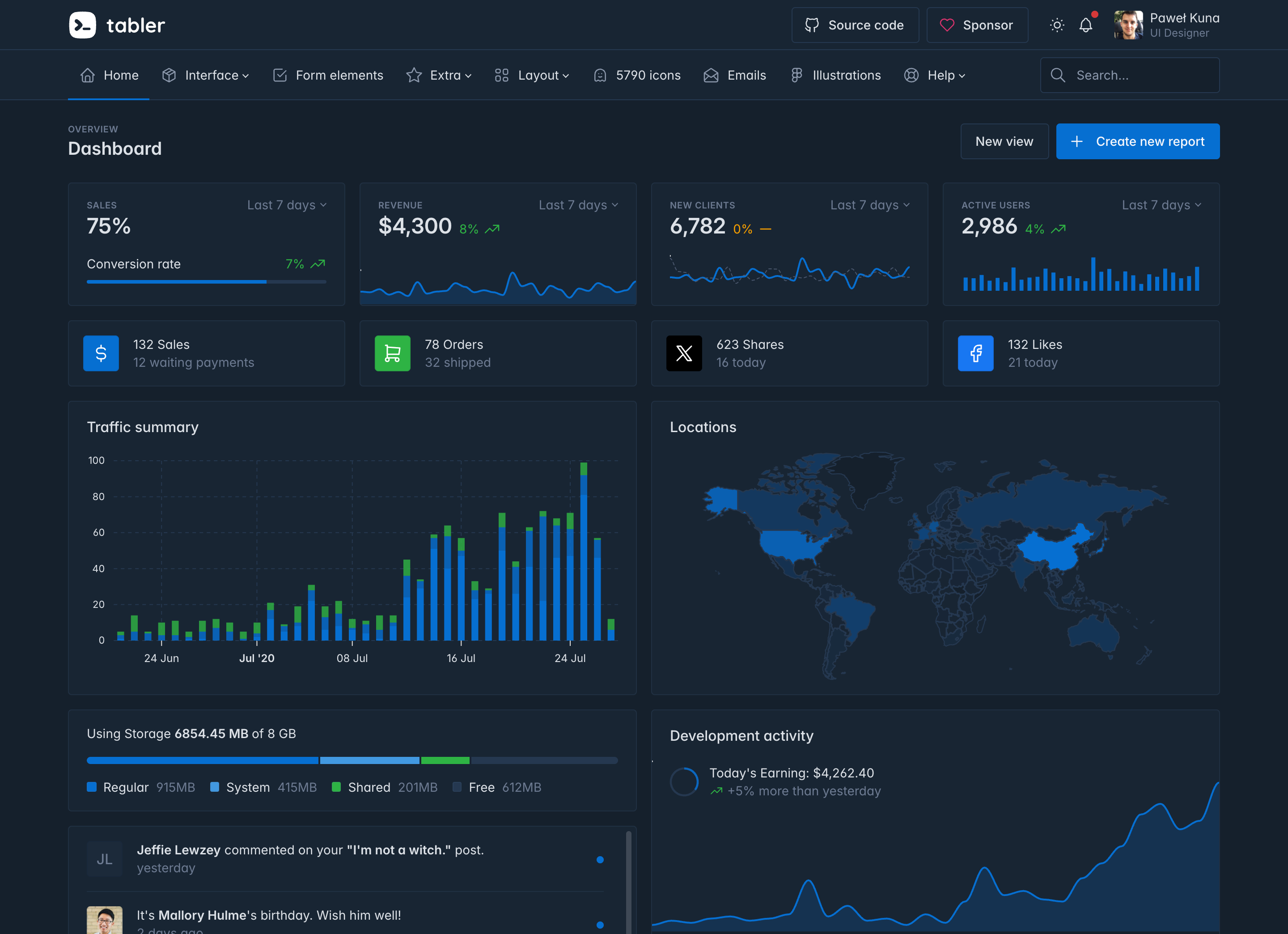
- Bootstrap 5 ships inside the package, so you only need one CSS file and one JS file.
- There are more than 120 demo pages in the live demo: dashboards, forms, tables, auth screens, error pages, marketing layouts and more.
- Every component has a dark color scheme, and every stylesheet ships in an RTL version.
- Tabler Icons gives you over 6,000 icons, drawn on a 24Ã24 grid to match the UI kit.
- More than 20 plugins are bundled in
dist/libs: charts, date pickers, selects, sliders, editors, drag and drop and other libraries. - The Sass sources and TypeScript types are included, so you can customize the theme with
@use ⦠with ()and use typed JavaScript components.
ð Quick start
Load Tabler from the CDN and start building:
<!doctype html>
<html lang="en">
  <head>
    <meta charset="utf-8" />
    <meta name="viewport" content="width=device-width, initial-scale=1" />
    <title>Tabler demo</title>
    <link rel="stylesheet" href="https://cdn.jsdelivr.net/npm/@tabler/core@latest/dist/css/tabler.min.css" />
  </head>
  <body>
    <h1>Hello, Tabler!</h1>
    <button class="btn btn-primary">Primary button</button>
    <script src="https://cdn.jsdelivr.net/npm/@tabler/core@latest/dist/js/tabler.min.js"></script>
  </body>
</html>
Or install the package with npm or your preferred JavaScript package manager:
npm install @tabler/core
Then import the styles and scripts in your entry file:
import '@tabler/core/dist/css/tabler.min.css'
import '@tabler/core/dist/js/tabler.min.js'
You can also download the latest release as a ZIP archive. If you'd rather try Tabler without installing anything, open the tabler-starter template on StackBlitz, CodeSandbox or GitHub Codespaces.
See the installation guide for more options.
ð¦ What's included
The @tabler/core package contains compiled and minified CSS and JavaScript, the Sass and TypeScript sources, and the third-party plugins used by the demo pages:
@tabler/core/
âââ dist/
â âââ css/ tabler.css and the optional stylesheets (flags, marketing, payments, socials,
â â themes, vendors), each with .min and .rtl versions
â âââ js/ tabler.js and tabler.esm.js, plus the standalone tabler-theme.js
â âââ libs/ bundled plugins: ApexCharts, Tom Select, Litepicker, FullCalendar and others
â âââ types/ TypeScript declarations
â âââ fonts/
â âââ img/
âââ scss/ Sass sources
âââ js/ TypeScript sources
The stylesheets are split so that you load only what you use. tabler.css is enough for most projects. The other files add country flags, payment provider logos, social icons, marketing layouts or alternative gray palettes.
𧩠Frameworks
Tabler is plain HTML and CSS, so it works with any framework. The documentation has a setup guide for each of these:
React · Vue · Angular · Next.js · Nuxt · SvelteKit · Astro · Laravel · Django · Rails · Symfony
ð Ecosystem
Tabler isn't only the UI kit. A few other projects share the same look and feel:
| Project | What it is |
|---|---|
| Tabler Icons | Over 6,000 free MIT-licensed SVG icons, with packages for React, Vue, Svelte and Angular |
| Tabler Illustrations | Customizable SVG illustrations in light and dark variants |
| Tabler Emails | Responsive HTML email templates tested in more than 90 clients |
| Tabler Avatars | Avatar illustrations for user profiles and placeholders |
| Tabler Flags | Over 250 optimized SVG country flags, shipped in tabler-flags.css |
| Tabler Payments | Payment provider logos in light and dark versions, shipped in tabler-payments.css |
| tabler-starter | Minimal starter template, ready to open in StackBlitz, CodeSandbox or Codespaces |
| Tabler Icons for Figma | Figma plugin for inserting Tabler Icons into your designs |
ð Documentation
The full documentation is at docs.tabler.io. It covers installation, customization, color modes, RTL, every component and plugin, and the frequently asked questions.
To see what changed in each release, check the changelog and the GitHub releases. Updating from an older version? Read the upgrade guide first. It lists every breaking change with a before-and-after example.
Tabler follows Semantic Versioning. Breaking changes only land in major releases, and every release comes with a changelog generated from changesets.
ð Browser support
Tabler works in any current browser. The minimum versions below come from the CSS features it uses without a fallback: light-dark(), color-mix(), :has() and @property.
| Browser | Minimum version |
|---|---|
| Chrome, Edge | 123 |
| Firefox | 128 |
| Safari | 17.5 |
| Opera | 109 |
| iOS Safari | 17.5 |
| Samsung Internet | 27 |
See the browser support page for details.
ð¤ Contributing
We welcome contributions of all kinds. The contributing guide explains how to run the project locally (with Node.js and pnpm, Docker, or GitHub Codespaces), where things live in the repository, and what a pull request needs. By participating, you agree to follow our Code of Conduct.
The short version:
git clone https://github.com/tabler/tabler.git
cd tabler
pnpm install
pnpm run dev
This starts the preview at http://localhost:3000 and the documentation at http://localhost:3010, both with live reload.
- Found a bug? Open a bug report.
- Have an idea? Open a feature request or start a discussion.
- Found a security issue? Please report it privately, see our security policy.
ð Sponsors
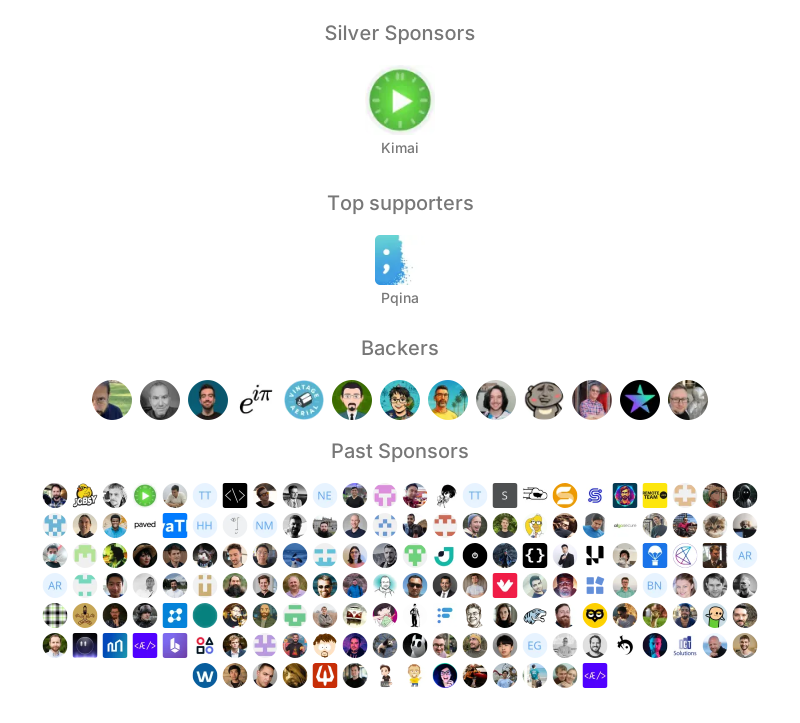
Tabler is free to use, and its development is funded by sponsors. If it saves you time, consider becoming a sponsor on GitHub or donating on PayPal.
ð¤ Creators
- PaweŠKuna · @codecalm · codecalm.net
- BartÅomiej GawÄda · @BG-Software-BG
- Bartosz Dobija · @Bartosz-Do
Follow Tabler on X and Facebook for updates.
ð¨âð Contributors
This project exists thanks to all the people who contribute.

ð License
Tabler is licensed under the MIT License.
Third-party libraries shipped in dist/libs keep their own licenses. One of them deserves a closer look. ApexCharts hasn't been MIT since version 5. It's dual-licensed now. Organizations under $2M in annual revenue can use it for free under the Community license, and anyone above that threshold pays. Redistribution needs a separate OEM license. Check the ApexCharts license options before you ship charts in a commercial product.
Top Related Projects
The most popular HTML, CSS, and JavaScript framework for developing responsive, mobile first projects on the web.
A lightweight and modular front-end framework for developing fast and powerful web interfaces
Modern CSS framework based on Flexbox
Semantic is a UI component framework based around useful principles from natural language.
A utility-first CSS framework for rapid UI development.
The most advanced responsive front-end framework in the world. Quickly create prototypes and production code for sites that work on any kind of device.
Convert designs to code with AI
Introducing Visual Copilot: A new AI model to turn Figma designs to high quality code using your components.
Try Visual Copilot