 fathom
Fathom Lite. Simple, privacy-focused website analytics. Built with Golang & Preact.
Top Related Projects

Empowering People Ethically 🚀 — Matomo is hiring! Join us → https://matomo.org/jobs Matomo is the leading open-source alternative to Google Analytics, giving you complete control and built-in privacy. Easily collect, visualise, and analyse data from websites & apps. Star us on GitHub ⭐️ – Pull Requests welcome!

Open source, privacy-first web analytics. Lightweight, cookie-free Google Analytics alternative. Self-hosted or cloud.

🦔 PostHog is an all-in-one developer platform for building successful products. We offer product analytics, web analytics, session replay, error tracking, feature flags, experimentation, surveys, data warehouse, a CDP, and an AI product assistant to help debug your code, ship features faster, and keep all your usage and customer data in one stack.

Umami is a modern, privacy-focused analytics platform. An open-source alternative to Google Analytics, Mixpanel and Amplitude.
Quick Overview
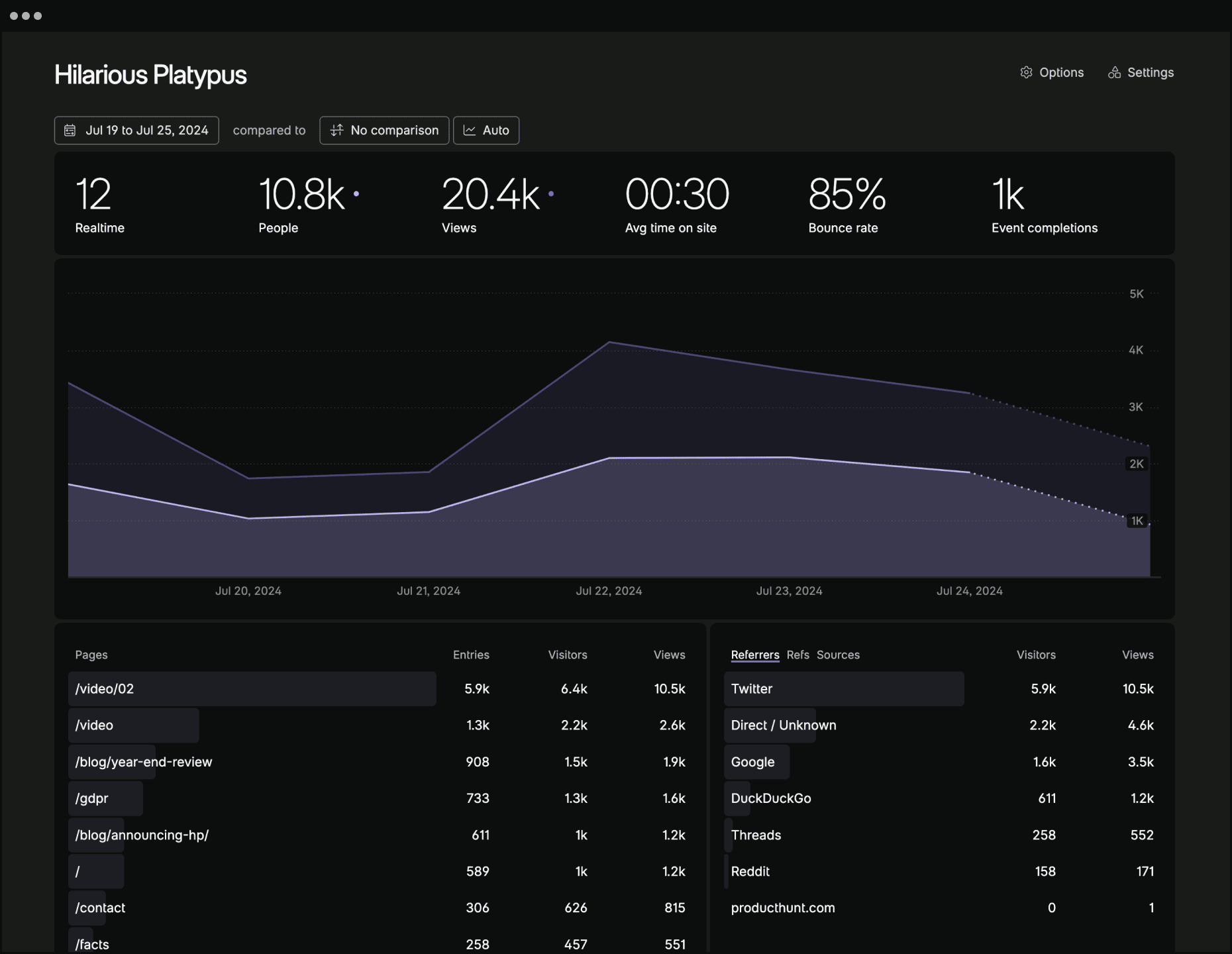
Fathom is a simple, privacy-focused alternative to Google Analytics. It provides website owners with essential traffic data without compromising visitor privacy. Fathom is designed to be lightweight, easy to use, and compliant with privacy regulations like GDPR.
Pros
- Privacy-focused: Does not use cookies or collect personal data
- Simple and intuitive dashboard
- Lightweight and fast, with minimal impact on site performance
- Self-hosted option available for complete data control
Cons
- Limited features compared to more comprehensive analytics tools
- Paid service for the hosted version
- May require technical knowledge for self-hosting
- Smaller community and ecosystem compared to Google Analytics
Getting Started
To start using Fathom Analytics:
- Sign up for an account at usefathom.com
- Create a site in your Fathom dashboard
- Add the tracking code to your website:
<script src="https://cdn.usefathom.com/script.js" data-site="YOURSITE" defer></script>
Replace YOURSITE with your site's unique ID provided by Fathom.
- Verify installation and start viewing your analytics in the Fathom dashboard
For self-hosting, refer to the GitHub repository for detailed installation instructions.
Competitor Comparisons
Empowering People Ethically 🚀 — Matomo is hiring! Join us → https://matomo.org/jobs Matomo is the leading open-source alternative to Google Analytics, giving you complete control and built-in privacy. Easily collect, visualise, and analyse data from websites & apps. Star us on GitHub ⭐️ – Pull Requests welcome!
Pros of Matomo
- More comprehensive feature set, including e-commerce tracking, heatmaps, and A/B testing
- Self-hosted option provides full data ownership and control
- Larger community and ecosystem with extensive plugin support
Cons of Matomo
- More complex setup and configuration process
- Higher resource requirements for hosting and maintenance
- Steeper learning curve for new users due to extensive features
Code Comparison
Matomo (PHP):
$tracker = new MatomoTracker($idSite, $matomoUrl);
$tracker->doTrackPageView('Page Title');
Fathom (JavaScript):
fathom('trackPageview');
Summary
Matomo offers a more feature-rich analytics solution with greater customization options, while Fathom focuses on simplicity and privacy. Matomo is better suited for larger organizations or those requiring detailed insights, whereas Fathom is ideal for users seeking a straightforward, privacy-focused analytics tool. The code comparison highlights the difference in complexity, with Matomo requiring more setup but offering more granular control over tracking.
Open source, privacy-first web analytics. Lightweight, cookie-free Google Analytics alternative. Self-hosted or cloud.
Pros of Plausible
- Open-source and self-hostable, with a more transparent development process
- Lighter weight and faster loading, with a smaller script size
- GDPR compliant out-of-the-box, with no cookie banners required
Cons of Plausible
- Less extensive feature set compared to Fathom
- Newer project with a smaller community and ecosystem
- Limited integrations with third-party tools and services
Code Comparison
Plausible script integration:
<script defer data-domain="yourdomain.com" src="https://plausible.io/js/plausible.js"></script>
Fathom script integration:
<script src="https://cdn.usefathom.com/script.js" data-site="SITE_ID" defer></script>
Both projects use similar lightweight JavaScript snippets for integration, with Plausible's script being slightly more concise. The main difference lies in the configuration options and data collection methodologies implemented in the backend systems.
🦔 PostHog is an all-in-one developer platform for building successful products. We offer product analytics, web analytics, session replay, error tracking, feature flags, experimentation, surveys, data warehouse, a CDP, and an AI product assistant to help debug your code, ship features faster, and keep all your usage and customer data in one stack.
Pros of PostHog
- More comprehensive feature set, including product analytics, session recording, and feature flags
- Open-source with a self-hosted option, offering greater control and customization
- Supports multiple data sources and integrations
Cons of PostHog
- More complex setup and maintenance due to its extensive features
- Higher resource requirements for self-hosting
- Steeper learning curve for new users
Code Comparison
PostHog (JavaScript):
posthog.init('<YOUR_PROJECT_API_KEY>', {
  api_host: 'https://app.posthog.com'
})
posthog.capture('button_clicked')
Fathom (JavaScript):
window.fathom = window.fathom || function() {
  (fathom.q = fathom.q || []).push(arguments);
};
fathom('set', 'siteId', 'ABCDEFGH');
fathom('trackPageview');
Both projects offer simple JavaScript snippets for basic tracking, but PostHog's API allows for more detailed event capturing. Fathom focuses on simplicity and privacy, while PostHog provides a broader range of analytics and product management features. The choice between them depends on the specific needs of the project and the desired level of complexity in analytics implementation.
Umami is a modern, privacy-focused analytics platform. An open-source alternative to Google Analytics, Mixpanel and Amplitude.
Pros of Umami
- Open-source and self-hosted, offering full control over data
- Supports multiple websites and users within a single installation
- Provides a more extensive set of analytics features, including real-time data
Cons of Umami
- Requires more technical setup and maintenance
- May have higher resource requirements for hosting
- Less polished user interface compared to Fathom
Code Comparison
Umami (JavaScript):
import { useEffect } from 'react';
import { trackView } from 'umami';

export default function MyComponent() {
  useEffect(() => {
    trackView();
  }, []);
  // ...
}
Fathom (JavaScript):
<script src="https://cdn.usefathom.com/script.js" data-site="SITE_ID" defer></script>
Umami offers more granular control over tracking specific events and views, while Fathom provides a simpler implementation with a single script tag. Umami's approach allows for more customization but requires more integration work, whereas Fathom's method is more straightforward but less flexible.
Both projects aim to provide privacy-focused analytics, but they differ in their approach to implementation and feature set. Umami offers more detailed analytics and multi-site support, making it suitable for users who need comprehensive data. Fathom, on the other hand, focuses on simplicity and ease of use, which may be preferable for those seeking a more streamlined solution.
Convert  designs to code with AI

Introducing Visual Copilot: A new AI model to turn Figma designs to high quality code using your components.
Try Visual CopilotREADME
Fathom Lite - simple website analytics

Fathom Lite is a previous and open-source version of Fathom Analytics (a paid, hosted Google Analytics alternative). It was the very first version of our software, and has been downloaded millions of times!
While we are no longer adding features to this Lite version, we will be continuing to maintain it long-term and fix any bugs that come up.

Fathom Lite vs Fathom (hosted)
Todayâs Fathom Analytics is a hosted product with simple pricing based on monthly pageviews. The same core capabilities are included on every plan: for example API access, up to 50 sites, custom events and ecommerce tracking, unlimited email reports and CSV exports, and forever data retentionâwith privacy-law compliance and no cookie banner required for analytics.
If youâd rather not run servers or maintenance yourself, try a 30-day free trial (that link applies a $10 credit on your first invoice). Browse all features or the live demo.
| Feature | Fathom Lite | Fathom (hosted) |
|---|---|---|
| Fully managed | â Self-hosted; you run servers and updates | â Managed for you; pay per pageviews |
| Cookie-free (no analytics banner) | â Uses cookies | â Cookie-free tracking |
| Current dashboard (real-time, live visitors, filters, details) | â Older Lite UI | â Full dashboard â see features |
| API | â | â API on all plans |
| Custom events, ecommerce, UTMs | â | â Events, revenue, campaigns |
| EU isolation & custom domains | â | â EU routing, first-party script domains |
| GA import, email reports, CSV export, shared dashboards | â | â Unlimited reports & exports |
| Many sites per account | â Typical single install | â Up to 50 sites (more available) |
| Email support & SLA | â Community / as-is | â Support on every plan |
| Global CDN, scaling, backups | â Your responsibility | â Included |
| Active feature development | â Bugfixes / maintenance | â Ongoing â trial · sign up |
Installation
Production
You can install Fathom on your server by following our simple instructions.
Development
For getting a development version of Fathom up & running, go through the following steps.
- Ensure you have Go and NPM installed
- Download the code:
git clone https://github.com/usefathom/fathom.git $GOPATH/src/github.com/usefathom/fathom - Compile the project into an executable:
make build - (Optional) Set custom configuration values
- (Required) Register a user account:
./fathom user add --email=<email> --password=<password> - Start the webserver:
./fathom serverand then visit http://localhost:8080 to access your analytics dashboard
Docker
Building
Ensure you have Docker installed and run docker build -t fathom ..
Run the container with docker run -d -p 8080:8080 fathom.
Running
To run our pre-built Docker image, run docker run -d -p 8080:8080 usefathom/fathom:latest
Tracking snippet
To start tracking, create a site in your Fathom dashboard and copy the tracking snippet to the website(s) you want to track.
Content Security Policy
If you use a Content Security Policy (CSP) to specify security policies for your website, Fathom requires the following CSP directives (replace yourfathom.com with the URL to your Fathom instance):
script-src: yourfathom.com;
img-src: yourfathom.com;
Copyright and license
MIT licensed. Fathom and Fathom logo are trademarks of Fathom Analytics.
Top Related Projects
Empowering People Ethically 🚀 — Matomo is hiring! Join us → https://matomo.org/jobs Matomo is the leading open-source alternative to Google Analytics, giving you complete control and built-in privacy. Easily collect, visualise, and analyse data from websites & apps. Star us on GitHub ⭐️ – Pull Requests welcome!
Open source, privacy-first web analytics. Lightweight, cookie-free Google Analytics alternative. Self-hosted or cloud.
🦔 PostHog is an all-in-one developer platform for building successful products. We offer product analytics, web analytics, session replay, error tracking, feature flags, experimentation, surveys, data warehouse, a CDP, and an AI product assistant to help debug your code, ship features faster, and keep all your usage and customer data in one stack.
Umami is a modern, privacy-focused analytics platform. An open-source alternative to Google Analytics, Mixpanel and Amplitude.
Convert designs to code with AI
Introducing Visual Copilot: A new AI model to turn Figma designs to high quality code using your components.
Try Visual Copilot