 vale
vale
:pencil: A markup-aware linter for prose built with speed and extensibility in mind.
Quick Overview
Error generating quick overview
Convert  designs to code with AI

Introducing Visual Copilot: A new AI model to turn Figma designs to high quality code using your components.
Try Visual CopilotREADME
Vale: Your style, our editor 





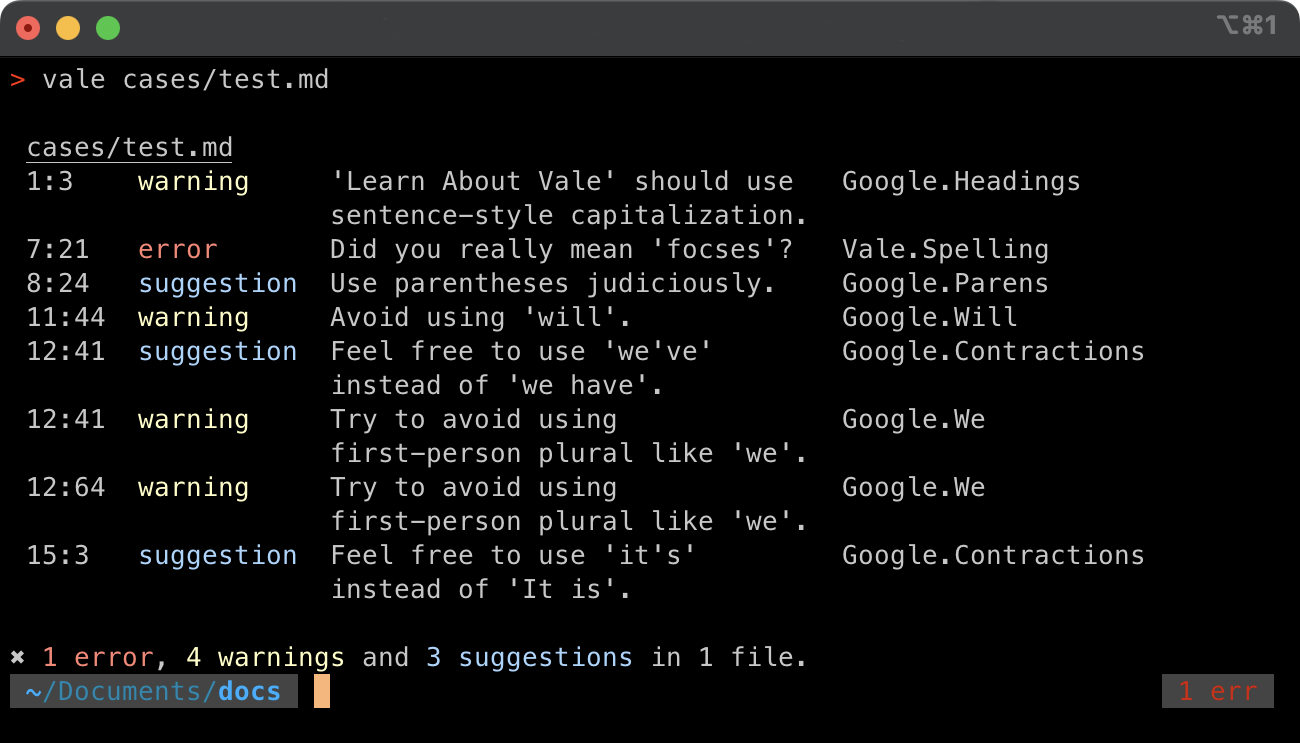
Vale is a command-line tool that brings code-like linting to prose. It's fast, cross-platform (Windows, macOS, and Linux), and highly customizable.
:heart: Sponsors
Hi there! I'm @jdkato, the sole developer of Vale. If you'd like to help me dedicate more time to developing, documenting, and supporting Vale, feel free to donate through GitHub Sponsors or Open Collective. Any donation—big, small, one-time, or recurring—is greatly appreciated!
Organizations

Other
Thanks to DigitalOcean for providing hosting credits for Vale Studio.

Deploy now on DigitalOcean and get $200 in free credits!
Individuals
:boom: Key Features
-
Support for markup: Vale has a rich understanding of many markup formats, allowing it to avoid syntax-related false positives and intelligently exclude code snippets from prose-related rules.
-
A highly customizable extension system: Vale is capable of enforcing your style—be it a standard editorial style guide or a custom in-house set of rules (see examples).
-
Easy-to-install, stand-alone binaries: Unlike other tools, Vale doesn't require you to install and configure a particular programming language and its related tooling (such as Python/pip or Node.js/npm).
See the documentation for more information.
:mag: At a Glance: Vale vs. <...>
NOTE: While all of the options listed below are open-source (CLI-based) linters for prose, their implementations and features vary significantly. And so, the "best" option will depends on your specific needs and preferences.
Functionality
| Tool | Extensible | Checks | Supports Markup | Built With | License |
|---|---|---|---|---|---|
| Vale | Yes (via YAML) | spelling, style | Yes (Markdown, AsciiDoc, reStructuredText, HTML, XML, Org) | Go | MIT |
| textlint | Yes (via JavaScript) | spelling, style | Yes (Markdown, AsciiDoc, reStructuredText, HTML, Re:VIEW) | JavaScript | MIT |
| RedPen | Yes (via Java) | spelling, style | Yes (Markdown, AsciiDoc, reStructuredText, Textile, Re:VIEW, and LaTeX) | Java | Apache-2.0 |
| write-good | Yes (via JavaScript) | style | No | JavaScript | MIT |
| proselint | No | style | No | Python | BSD 3-Clause |
| Joblint | No | style | No | JavaScript | MIT |
| alex | No | style | Yes (Markdown) | JavaScript | MIT |
The exact definition of "Supports Markup" varies by tool but, in general, it means that the format is understood at a higher level than a regular plain-text file (for example, features like excluding code blocks from spell check).
Extensibility means that there's a built-in means of creating your own rules without modifying the original source code.
Benchmarks

|
|
This benchmark has all three tools configured to use their implementations of the write-good rule set and Unix-style output.
|
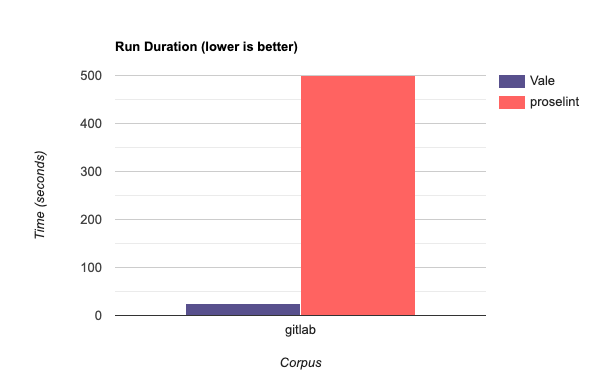
This benchmark runs Vale's implementation of proselint's rule set against the original. Both tools are configured to use JSON output. |
|

|
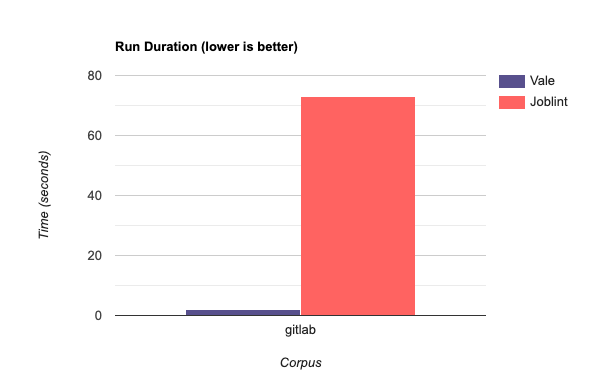
| This benchmark runs Vale's implementation of Joblint's rule set against the original. Both tools are configured to use JSON output. | This benchmark has all three tools configured to perform only English spell checking using their default output styles. |
All benchmarking was performed using the open-source hyperfine tool on a MacBook Pro (2.9 GHz Intel Core i7):
hyperfine --warmup 3 '<command>'
The corpus IDs in the above plots—gitlab and ydkjs—correspond to the following files:
Convert designs to code with AI
Introducing Visual Copilot: A new AI model to turn Figma designs to high quality code using your components.
Try Visual Copilot