
Top Related Projects

📊 An infographics generator with 30+ plugins and 300+ options to display stats about your GitHub account and render them as SVG, Markdown, PDF or JSON!

🔥 Stay motivated and show off your contribution streak! 🌟 Display your total contributions, current streak, and longest streak on your GitHub profile README

Better GitHub statistics images for your profile, with stats from private repos too

🏆 Add dynamically generated GitHub Stat Trophies on your readme

It counts how many times your GitHub profile has been viewed. Free cloud micro-service.

A tool to generate your GitHub summary card for profile README
Quick Overview
GitHub Readme Stats is a dynamic stats generator for GitHub profiles and repositories. It allows users to display various statistics, such as GitHub stars, commits, and contributions, directly in their README files using customizable SVG images.
Pros
- Easy to implement with a simple URL-based system
- Highly customizable with themes, icons, and layout options
- Provides real-time statistics that automatically update
- Supports both user and repository statistics
Cons
- Relies on GitHub API, which may have rate limits for frequent requests
- Some advanced features require setting up a personal access token
- May slow down README load times if multiple stats are included
- Limited to GitHub-specific metrics
Code Examples
- Display GitHub stats for a user:

- Show top languages used:

- Display a repository's stats:

Getting Started
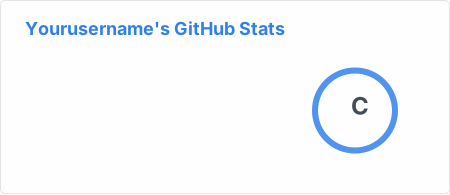
To use GitHub Readme Stats in your README, simply add the following markdown to your file:
[](https://github.com/anuraghazra/github-readme-stats)
Replace yourusername with your actual GitHub username. You can customize the appearance by adding query parameters to the URL, such as &theme=radical for a different color scheme or &show_icons=true to display icons for different stats.
For more advanced usage, including private repositories and deploying your own instance, refer to the project's documentation on GitHub.
Competitor Comparisons
📊 An infographics generator with 30+ plugins and 300+ options to display stats about your GitHub account and render them as SVG, Markdown, PDF or JSON!
Pros of metrics
- More comprehensive and customizable, offering a wider range of statistics and visualizations
- Supports plugins for extended functionality and integration with various services
- Provides detailed insights into coding habits, languages, and contributions
Cons of metrics
- More complex setup and configuration process
- Requires self-hosting or using GitHub Actions, which may be less convenient for some users
- Higher resource usage due to its extensive features
Code comparison
metrics:
- uses: lowlighter/metrics@latest
  with:
    token: ${{ secrets.METRICS_TOKEN }}
    plugin_languages: yes
    plugin_habits: yes
github-readme-stats:

Summary
metrics offers a more feature-rich and customizable solution for displaying GitHub statistics, but requires more setup and resources. github-readme-stats provides a simpler, more straightforward approach with easier implementation but fewer options for customization and detailed insights. The choice between the two depends on the user's needs for depth of information and willingness to invest time in configuration.
🔥 Stay motivated and show off your contribution streak! 🌟 Display your total contributions, current streak, and longest streak on your GitHub profile README
Pros of github-readme-streak-stats
- Focuses specifically on contribution streaks, providing a motivational tool for consistent GitHub activity
- Offers more customization options for streak statistics, including theme selection and custom text
- Lighter weight and faster to load due to its specialized focus
Cons of github-readme-streak-stats
- Limited to streak-related statistics, lacking the broader range of GitHub stats provided by github-readme-stats
- Does not include language statistics or repository-specific information
- Less widely adopted compared to the more established github-readme-stats
Code Comparison
github-readme-streak-stats:
[](https://git.io/streak-stats)
github-readme-stats:
[](https://github.com/anuraghazra/github-readme-stats)
Both repositories provide easy-to-use markdown snippets for embedding statistics in GitHub profiles. github-readme-streak-stats focuses on a single, specialized statistic, while github-readme-stats offers a more comprehensive set of GitHub metrics. The choice between the two depends on whether users prioritize detailed contribution streaks or a broader overview of their GitHub activity.
Better GitHub statistics images for your profile, with stats from private repos too
Pros of github-stats
- Offers more detailed and customizable statistics, including language breakdowns and contribution calendars
- Generates static SVG images, reducing server load and improving performance
- Provides a more comprehensive overview of a user's GitHub activity and contributions
Cons of github-stats
- Less visually appealing and modern design compared to github-readme-stats
- Requires more setup and configuration to get started
- Limited options for quick, pre-designed stat cards
Code Comparison
github-stats:
def get_stats(username):
    user = github.get_user(username)
    repos = user.get_repos()
    stats = calculate_stats(repos)
    return generate_svg(stats)
github-readme-stats:
const getStats = async (username) => {
  const user = await fetchUserData(username);
  const stats = calculateStats(user);
  return renderStatsCard(stats);
};
Both projects aim to provide GitHub statistics for user profiles, but they differ in their approach and features. github-stats focuses on comprehensive data and static SVG generation, while github-readme-stats offers a more user-friendly experience with dynamic, visually appealing stat cards. The code comparison shows that github-stats uses Python for backend processing, while github-readme-stats utilizes JavaScript, likely for client-side rendering.
🏆 Add dynamically generated GitHub Stat Trophies on your readme
Pros of github-profile-trophy
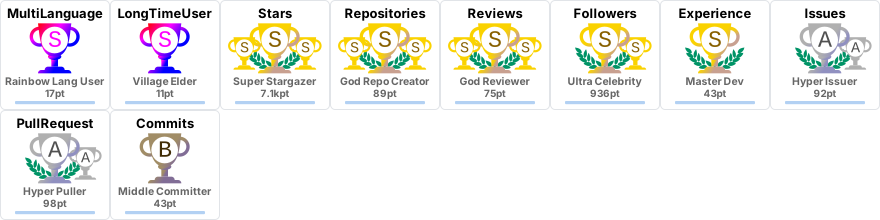
- Offers a unique trophy system to showcase GitHub achievements
- Provides a visually appealing display of user accomplishments
- Allows for customization of trophy appearance and layout
Cons of github-profile-trophy
- Limited to displaying only trophy-based statistics
- May not provide as comprehensive GitHub stats as github-readme-stats
- Requires more setup and configuration for optimal display
Code Comparison
github-profile-trophy:
[](https://github.com/ryo-ma/github-profile-trophy)
github-readme-stats:

github-profile-trophy focuses on displaying achievements as trophies, while github-readme-stats provides a more comprehensive overview of GitHub statistics. The former offers a unique visual representation of accomplishments, while the latter provides a broader range of data points. github-readme-stats is generally easier to implement and customize, whereas github-profile-trophy may require more setup for optimal display. Both projects enhance GitHub profiles, but cater to different preferences in showcasing user activity and achievements.
It counts how many times your GitHub profile has been viewed. Free cloud micro-service.
Pros of github-profile-views-counter
- Focuses specifically on tracking profile views, providing a simple and lightweight solution
- Offers customizable badges with various styles and colors
- Provides detailed analytics and view count history
Cons of github-profile-views-counter
- Limited to profile view tracking, lacking other GitHub stats features
- May require additional setup compared to more comprehensive solutions
- Less frequently updated and maintained compared to github-readme-stats
Code Comparison
github-profile-views-counter:

github-readme-stats:

Summary
github-profile-views-counter is a specialized tool for tracking GitHub profile views, offering customizable badges and detailed analytics. It's lightweight and focused but lacks the comprehensive features of github-readme-stats. The latter provides a wider range of GitHub statistics and is more frequently updated. Choose github-profile-views-counter for simple view tracking or github-readme-stats for a more comprehensive GitHub stats display.
A tool to generate your GitHub summary card for profile README
Pros of github-profile-summary-cards
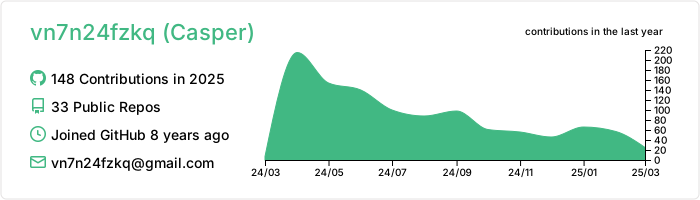
- Offers a wider variety of card types, including language-specific stats and productivity time charts
- Provides more customization options for card themes and layouts
- Supports integration with multiple version control platforms (GitHub, GitLab, Bitbucket)
Cons of github-profile-summary-cards
- Less frequently updated compared to github-readme-stats
- May require more setup and configuration to use all features
- Has fewer stars and contributors, potentially indicating a smaller community
Code Comparison
github-profile-summary-cards:
[](https://github.com/vn7n24fzkq/github-profile-summary-cards)
github-readme-stats:

Both projects aim to enhance GitHub profile READMEs with dynamic statistics and visualizations. github-profile-summary-cards offers more diverse card types and customization options, while github-readme-stats has a larger community and more frequent updates. The choice between them depends on the specific needs of the user, such as desired card types, customization level, and preferred community support.
Convert  designs to code with AI

Introducing Visual Copilot: A new AI model to turn Figma designs to high quality code using your components.
Try Visual CopilotREADME

GitHub Readme Stats
Get dynamically generated GitHub stats on your READMEs!






Love the project? Please consider donating to support the original creator!
[!CAUTION] This repository is no longer maintained. Please use the successor project GitHub Stats Extended instead! GitHub Stats Extended is an actively maintained fork of this repository with additional features and improved stability. Alternatively you can also use GitHub Readme Stats Action.
Click here to view the outdated documentation. Kept for reference only.
View Demo · Report Bug · Request Feature · FAQ · Ask Question
Table of contents (Click to show)
- GitHub Stats Card
- GitHub Extra Pins
- GitHub Gist Pins
- Top Languages Card
- Usage
- Options
- Language stats algorithm
- Exclude individual repositories
- Hide individual languages
- Show more languages
- Compact Language Card Layout
- Donut Chart Language Card Layout
- Donut Vertical Chart Language Card Layout
- Pie Chart Language Card Layout
- Hide Progress Bars
- Change format of language's stats
- Demo
- WakaTime Stats Card
- All Demos
- Deploy on your own
- :sparkling_heart: Support the project
Important Notices
|
â ï¸Warning
The public Vercel instance at |
|
â ï¸Warning
We're a small team, and to prioritize, we rely on upvotes :+1:. We use the Top Issues dashboard for tracking community demand (see #1935). Do not hesitate to upvote the issues and pull requests you are interested in. We will work on the most upvoted first. |
GitHub Stats Card
Copy and paste this into your markdown, and that's it. Simple!
Change the ?username= value to your GitHub username.
[](https://github.com/anuraghazra/github-readme-stats)
|
â ï¸Warning
By default, the stats card only shows statistics like stars, commits, and pull requests from public repositories. To show private statistics on the stats card, you should deploy your own instance using your own GitHub API token. |
|
â¹ï¸Note
Available ranks are S (top 1%), A+ (12.5%), A (25%), A- (37.5%), B+ (50%), B (62.5%), B- (75%), C+ (87.5%) and C (everyone). This ranking scheme is based on the Japanese academic grading system. The global percentile is calculated as a weighted sum of percentiles for each statistic (number of commits, pull requests, reviews, issues, stars, and followers), based on the cumulative distribution function of the exponential and the log-normal distributions. The implementation can be investigated at src/calculateRank.js. The circle around the rank shows 100 minus the global percentile. |
Hiding individual stats
You can pass a query parameter &hide= to hide any specific stats with comma-separated values.
Options:
&hide=stars,commits,prs,issues,contribs

Showing additional individual stats
You can pass a query parameter &show= to show any specific additional stats with comma-separated values.
Options:
&show=reviews,discussions_started,discussions_answered,prs_merged,prs_merged_percentage
Showing icons
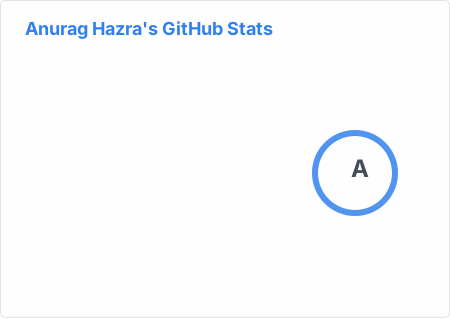
To enable icons, you can pass &show_icons=true in the query param, like so:

Showing commits count for specified year
You can specify a year and fetch only the commits that were made in that year by passing &commits_year=YYYY to the parameter.

Themes
With inbuilt themes, you can customize the look of the card without doing any manual customization.
Use &theme=THEME_NAME parameter like so :

All inbuilt themes
GitHub Readme Stats comes with several built-in themes (e.g. dark, radical, merko, gruvbox, tokyonight, onedark, cobalt, synthwave, highcontrast, dracula).
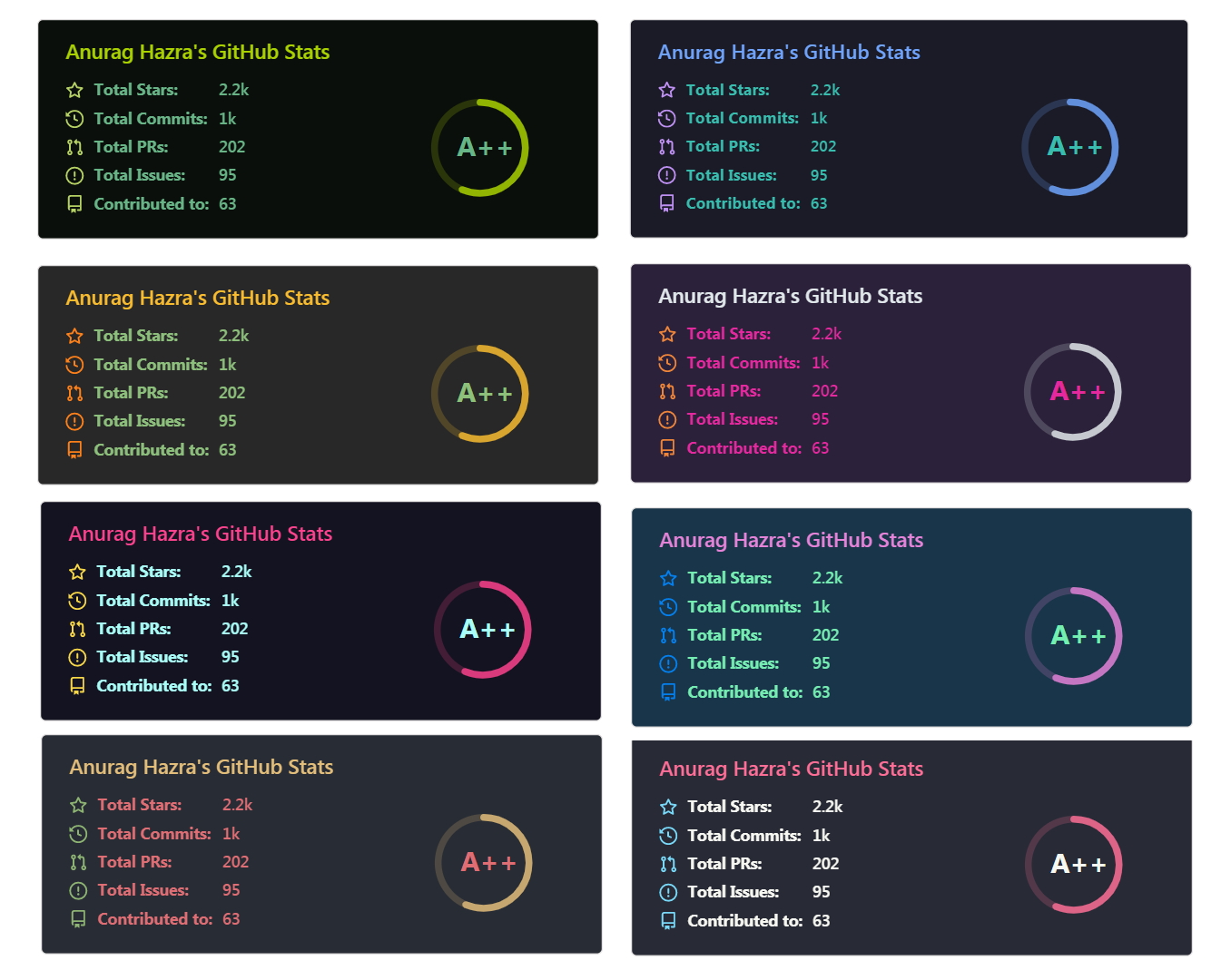
You can look at a preview for all available themes or checkout the theme config file. Please note that we paused the addition of new themes to decrease maintenance efforts; all pull requests related to new themes will be closed.
Responsive Card Theme
Since GitHub will re-upload the cards and serve them from their CDN, we can not infer the browser/GitHub theme on the server side. There are, however, four methods you can use to create dynamics themes on the client side.
Use the transparent theme
We have included a transparent theme that has a transparent background. This theme is optimized to look good on GitHub's dark and light default themes. You can enable this theme using the &theme=transparent parameter like so:

:eyes: Show example
Add transparent alpha channel to a themes bg_color
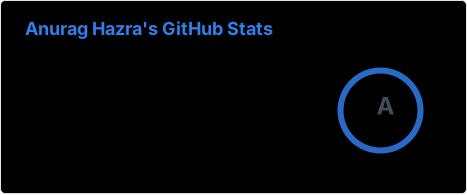
You can use the bg_color parameter to make any of the available themes transparent. This is done by setting the bg_color to a color with a transparent alpha channel (i.e. bg_color=00000000):
:eyes: Show example
Use GitHub's theme context tag
You can use GitHub's theme context tags to switch the theme based on the user GitHub theme automatically. This is done by appending #gh-dark-mode-only or #gh-light-mode-only to the end of an image URL. This tag will define whether the image specified in the markdown is only shown to viewers using a light or a dark GitHub theme:
[](https://github.com/anuraghazra/github-readme-stats#gh-dark-mode-only)
[](https://github.com/anuraghazra/github-readme-stats#gh-light-mode-only)
:eyes: Show example
Use GitHub's new media feature
You can use GitHub's new media feature in HTML to specify whether to display images for light or dark themes. This is done using the HTML <picture> element in combination with the prefers-color-scheme media feature.
<picture>
  <source
    srcset="https://github-readme-stats.vercel.app/api?username=anuraghazra&show_icons=true&theme=dark"
    media="(prefers-color-scheme: dark)"
  />
  <source
    srcset="https://github-readme-stats.vercel.app/api?username=anuraghazra&show_icons=true"
    media="(prefers-color-scheme: light), (prefers-color-scheme: no-preference)"
  />
  <img src="https://github-readme-stats.vercel.app/api?username=anuraghazra&show_icons=true" />
</picture>
:eyes: Show example
Customization
You can customize the appearance of all your cards however you wish with URL parameters.
Common Options
| Name | Description | Type | Default value |
|---|---|---|---|
title_color | Card's title color. | string (hex color) | 2f80ed |
text_color | Body text color. | string (hex color) | 434d58 |
icon_color | Icons color if available. | string (hex color) | 4c71f2 |
border_color | Card's border color. Does not apply when hide_border is enabled. | string (hex color) | e4e2e2 |
bg_color | Card's background color. | string (hex color or a gradient in the form of angle,start,end) | fffefe |
hide_border | Hides the card's border. | boolean | false |
theme | Name of the theme, choose from all available themes. | enum | default |
cache_seconds | Sets the cache header manually (min: 21600, max: 86400). | integer | 21600 |
locale | Sets the language in the card, you can check full list of available locales here. | enum | en |
border_radius | Corner rounding on the card. | number | 4.5 |
|
â ï¸Warning
We use caching to decrease the load on our servers (see https://github.com/anuraghazra/github-readme-stats/issues/1471#issuecomment-1271551425). Our cards have the following default cache hours: stats card - 24 hours, top languages card - 144 hours (6 days), pin card - 240 hours (10 days), gist card - 48 hours (2 days), and wakatime card - 24 hours. If you want the data on your cards to be updated more often you can deploy your own instance and set environment variable |
Gradient in bg_color
You can provide multiple comma-separated values in the bg_color option to render a gradient with the following format:
&bg_color=DEG,COLOR1,COLOR2,COLOR3...COLOR10
Available locales
Here is a list of all available locales:
|
|
|
If we don't support your language, please consider contributing! You can find more information about how to do it in our contributing guidelines.
Stats Card Exclusive Options
| Name | Description | Type | Default value |
|---|---|---|---|
hide | Hides the specified items from stats. | string (comma-separated values) | null |
hide_title | Hides the title of your stats card. | boolean | false |
card_width | Sets the card's width manually. | number | 500px (approx.) |
hide_rank | Hides the rank and automatically resizes the card width. | boolean | false |
rank_icon | Shows alternative rank icon (i.e. github, percentile or default). | enum | default |
show_icons | Shows icons near all stats. | boolean | false |
include_all_commits | Count total commits instead of just the current year commits. | boolean | false |
line_height | Sets the line height between text. | integer | 25 |
exclude_repo | Excludes specified repositories. | string (comma-separated values) | null |
custom_title | Sets a custom title for the card. | string | <username> GitHub Stats |
text_bold | Uses bold text. | boolean | true |
disable_animations | Disables all animations in the card. | boolean | false |
ring_color | Color of the rank circle. | string (hex color) | 2f80ed |
number_format | Switches between two available formats for displaying the card values short (i.e. 6.6k) and long (i.e. 6626). | enum | short |
number_precision | Enforce the number of digits after the decimal point for short number format. Must be an integer between 0 and 2. Will be ignored for long number format. | integer (0, 1 or 2) | null |
show | Shows additional items on stats card (i.e. reviews, discussions_started, discussions_answered, prs_merged or prs_merged_percentage). | string (comma-separated values) | null |
commits_year | Filters and counts only commits made in the specified year. | integer (YYYY) | <current year> (one year to date) |
|
â ï¸Warning
Custom title should be URI-escaped, as specified in Percent Encoding (i.e: |
|
â¹ï¸Note
When hide_rank= |
GitHub Extra Pins
GitHub extra pins allow you to pin more than 6 repositories in your profile using a GitHub readme profile.
Yay! You are no longer limited to 6 pinned repositories.
Usage
Copy-paste this code into your readme and change the links.
Endpoint: api/pin?username=anuraghazra&repo=github-readme-stats
[](https://github.com/anuraghazra/github-readme-stats)
Options
You can customize the appearance and behavior of the pinned repository card using the common options and exclusive options listed in the table below.
| Name | Description | Type | Default value |
|---|---|---|---|
show_owner | Shows the repo's owner name. | boolean | false |
description_lines_count | Manually set the number of lines for the description. Specified value will be clamped between 1 and 3. If this parameter is not specified, the number of lines will be automatically adjusted according to the actual length of the description. | number | null |
Demo
Use show_owner query option to include the repo's owner username
GitHub Gist Pins
GitHub gist pins allow you to pin gists in your GitHub profile using a GitHub readme profile.
Usage
Copy-paste this code into your readme and change the links.
Endpoint: api/gist?id=bbfce31e0217a3689c8d961a356cb10d
[](https://gist.github.com/Yizack/bbfce31e0217a3689c8d961a356cb10d/)
Options
You can customize the appearance and behavior of the gist card using the common options and exclusive options listed in the table below.
| Name | Description | Type | Default value |
|---|---|---|---|
show_owner | Shows the gist's owner name. | boolean | false |
Demo
Use show_owner query option to include the gist's owner username
Top Languages Card
The top languages card shows a GitHub user's most frequently used languages.
|
â ï¸Warning
By default, the language card shows language results only from public repositories. To include languages used in private repositories, you should deploy your own instance using your own GitHub API token. |
|
â¹ï¸Note
Top Languages does not indicate the user's skill level or anything like that; it's a GitHub metric to determine which languages have the most code on GitHub. It is a new feature of github-readme-stats. |
|
â ï¸Warning
This card shows language usage only inside your own non-forked repositories, not depending on who the author of the commits is. It does not include your contributions into another users/organizations repositories. Currently there are no way to get this data from GitHub API. If you want this behavior to be improved you can support this feature request created by @rickstaa inside GitHub Community. |
|
â ï¸Warning
Currently this card shows data only about first 100 repositories. This is because GitHub API limitations which cause downtimes of public instances (see #1471). In future this behavior will be improved by releasing GitHub action or providing environment variables for user's own instances. |
Usage
Copy-paste this code into your readme and change the links.
Endpoint: api/top-langs?username=anuraghazra
[](https://github.com/anuraghazra/github-readme-stats)
Options
You can customize the appearance and behavior of the top languages card using the common options and exclusive options listed in the table below.
| Name | Description | Type | Default value |
|---|---|---|---|
hide | Hides the specified languages from card. | string (comma-separated values) | null |
hide_title | Hides the title of your card. | boolean | false |
layout | Switches between five available layouts normal & compact & donut & donut-vertical & pie. | enum | normal |
card_width | Sets the card's width manually. | number | 300 |
langs_count | Shows more languages on the card, between 1-20. | integer | 5 for normal and donut, 6 for other layouts |
exclude_repo | Excludes specified repositories. | string (comma-separated values) | null |
custom_title | Sets a custom title for the card. | string | Most Used Languages |
disable_animations | Disables all animations in the card. | boolean | false |
hide_progress | Uses the compact layout option, hides percentages, and removes the bars. | boolean | false |
size_weight | Configures language stats algorithm (see Language stats algorithm). | integer | 1 |
count_weight | Configures language stats algorithm (see Language stats algorithm). | integer | 0 |
stats_format | Switches between two available formats for language's stats percentages and bytes. | enum | percentages |
|
â ï¸Warning
Language names and custom title should be URI-escaped, as specified in Percent Encoding (i.e: |
Language stats algorithm
We use the following algorithm to calculate the languages percentages on the language card:
ranking_index = (byte_count ^ size_weight) * (repo_count ^ count_weight)
By default, only the byte count is used for determining the languages percentages shown on the language card (i.e. size_weight=1 and count_weight=0). You can, however, use the &size_weight= and &count_weight= options to weight the language usage calculation. The values must be positive real numbers. More details about the algorithm can be found here.
&size_weight=1&count_weight=0- (default) Orders by byte count.&size_weight=0.5&count_weight=0.5- (recommended) Uses both byte and repo count for ranking&size_weight=0&count_weight=1- Orders by repo count
Exclude individual repositories
You can use the &exclude_repo=repo1,repo2 parameter to exclude individual repositories.
Hide individual languages
You can use &hide=language1,language2 parameter to hide individual languages.
Show more languages
You can use the &langs_count= option to increase or decrease the number of languages shown on the card. Valid values are integers between 1 and 20 (inclusive). By default it was set to 5 for normal & donut and 6 for other layouts.

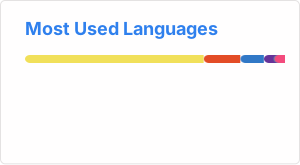
Compact Language Card Layout
You can use the &layout=compact option to change the card design.
Donut Chart Language Card Layout
You can use the &layout=donut option to change the card design.
[](https://github.com/anuraghazra/github-readme-stats)
Donut Vertical Chart Language Card Layout
You can use the &layout=donut-vertical option to change the card design.
[](https://github.com/anuraghazra/github-readme-stats)
Pie Chart Language Card Layout
You can use the &layout=pie option to change the card design.
[](https://github.com/anuraghazra/github-readme-stats)
Hide Progress Bars
You can use the &hide_progress=true option to hide the percentages and the progress bars (layout will be automatically set to compact).

Change format of language's stats
You can use the &stats_format=bytes option to display the stats in bytes instead of percentage.
Demo
- Compact layout
- Donut Chart layout
- Donut Vertical Chart layout
- Pie Chart layout
- Hidden progress bars
- Display bytes instead of percentage
WakaTime Stats Card
|
â ï¸Warning
Please be aware that we currently only show data from WakaTime profiles that are public. You therefore have to make sure that BOTH |
|
â ï¸Warning
In case you just created a new WakaTime account, then it might take up to 24 hours until your stats will become visible on the WakaTime stats card. |
Change the ?username= value to your WakaTime username.
[](https://github.com/anuraghazra/github-readme-stats)
Options
You can customize the appearance and behavior of the WakaTime stats card using the common options and exclusive options listed in the table below.
| Name | Description | Type | Default value |
|---|---|---|---|
hide | Hides the languages specified from the card. | string (comma-separated values) | null |
hide_title | Hides the title of your card. | boolean | false |
card_width | Sets the card's width manually. | number | 495 |
line_height | Sets the line height between text. | integer | 25 |
hide_progress | Hides the progress bar and percentage. | boolean | false |
custom_title | Sets a custom title for the card. | string | WakaTime Stats |
layout | Switches between two available layouts default & compact. | enum | default |
langs_count | Limits the number of languages on the card, defaults to all reported languages. | integer | null |
api_domain | Sets a custom API domain for the card, e.g. to use services like Hakatime or Wakapi | string | wakatime.com |
display_format | Sets the WakaTime stats display format. Choose time to display time-based stats or percent to show percentages. | enum | time |
disable_animations | Disables all animations in the card. | boolean | false |
|
â ï¸Warning
Custom title should be URI-escaped, as specified in Percent Encoding (i.e: |
Demo
- Compact layout
All Demos
- Default
- Hiding specific stats
- Showing additional stats
- Showing icons
- Shows GitHub logo instead rank level
- Shows user rank percentile instead of rank level
- Customize Border Color
- Include All Commits
- Themes
Choose from any of the default themes
- Gradient
- Customizing stats card
- Setting card locale
- Customizing repo card
- Gist card
- Customizing gist card
- Top languages
- WakaTime card
Quick Tip (Align The Cards)
By default, GitHub does not lay out the cards side by side. To do that, you can use such approaches:
Stats and top languages cards
<a href="https://github.com/anuraghazra/github-readme-stats">
  <img height=200 align="center" src="https://github-readme-stats.vercel.app/api?username=anuraghazra" />
</a>
<a href="https://github.com/anuraghazra/convoychat">
  <img height=200 align="center" src="https://github-readme-stats.vercel.app/api/top-langs?username=anuraghazra&layout=compact&langs_count=8&card_width=320" />
</a>
:eyes: Show example
Pinning repositories
<a href="https://github.com/anuraghazra/github-readme-stats">
  <img align="center" src="https://github-readme-stats.vercel.app/api/pin/?username=anuraghazra&repo=github-readme-stats" />
</a>
<a href="https://github.com/anuraghazra/convoychat">
  <img align="center" src="https://github-readme-stats.vercel.app/api/pin/?username=anuraghazra&repo=convoychat" />
</a>
:eyes: Show example
Deploy on your own (recommended)
Because the public endpoint is not reliable, we recommend self-deployment via GitHub Actions or your own hosted instance. GitHub Actions is the simplest setup with static SVGs stored in your repo but less frequent updates, while self-hosting takes more work and can serve fresher stats (with caching).
GitHub Actions
GitHub Actions generates static SVGs and avoids per-request API calls. By default it uses GITHUB_TOKEN (public stats only), for private stats, set a PAT as a secret and pass it to the action instead.
Create /.github/workflows/grs.yml in your profile repo (USERNAME/USERNAME):
name: Update README cards

on:
  schedule:
    - cron: "0 3 * * *"
  workflow_dispatch:

jobs:
  build:
    runs-on: ubuntu-latest
    steps:
      - uses: actions/checkout@v4

      - name: Generate stats card
        uses: readme-tools/github-readme-stats-action@v1
        with:
          card: stats
          options: username=${{ github.repository_owner }}&show_icons=true
          path: profile/stats.svg
          token: ${{ secrets.GITHUB_TOKEN }}

      - name: Commit cards
        run: |
          git config user.name "github-actions"
          git config user.email "github-actions@users.noreply.github.com"
          git add profile/*.svg
          git commit -m "Update README cards" || exit 0
          git push
Then embed from your profile README:

See more options and examples in the GitHub Readme Stats Action README.
Self-hosted (Vercel/Other)
Running your own instance avoids public rate limits and gives you full control over caching, tokens, and private stats.
First step: get your Personal Access Token (PAT)
For deploying your own instance of GitHub Readme Stats, you will need to create a GitHub Personal Access Token (PAT). Below are the steps to create one and the scopes you need to select for both classic and fine-grained tokens.
Selecting the right scopes for your token is important in case you want to display private contributions on your cards.
Classic token
- Go to Account -> Settings -> Developer Settings -> Personal access tokens -> Tokens (classic).
- Click on
Generate new token -> Generate new token (classic). - Scopes to select:
- repo
- read:user
- Click on
Generate tokenand copy it.
Fine-grained token
|
â ï¸Warning
This limits the scope to issues in your repositories and includes only public commits. |
- Go to Account -> Settings -> Developer Settings -> Personal access tokens -> Fine-grained tokens.
- Click on
Generate new token -> Generate new token. - Select an expiration date
- Select
All repositories - Scopes to select in
Repository permission:- Commit statuses: read-only
- Contents: read-only
- Issues: read-only
- Metadata: read-only
- Pull requests: read-only
- Click on
Generate tokenand copy it.
On Vercel
:film_projector: Check Out Step By Step Video Tutorial By @codeSTACKr
Since the GitHub API only allows 5k requests per hour, my https://github-readme-stats.vercel.app/api could possibly hit the rate limiter. If you host it on your own Vercel server, then you do not have to worry about anything. Click on the deploy button to get started!
|
â¹ï¸Note
Since #58, we should be able to handle more than 5k requests and have fewer issues with downtime :grin:. |
|
â¹ï¸Note
If you are on the Pro (i.e. paid) Vercel plan, the maxDuration value found in the vercel.json can be increased when your Vercel instance frequently times out during the card request. You are advised to keep this value lower than |
:hammer_and_wrench: Step-by-step guide on setting up your own Vercel instance
- Go to vercel.com.
- Click on
Log in.
- Sign in with GitHub by pressing
Continue with GitHub.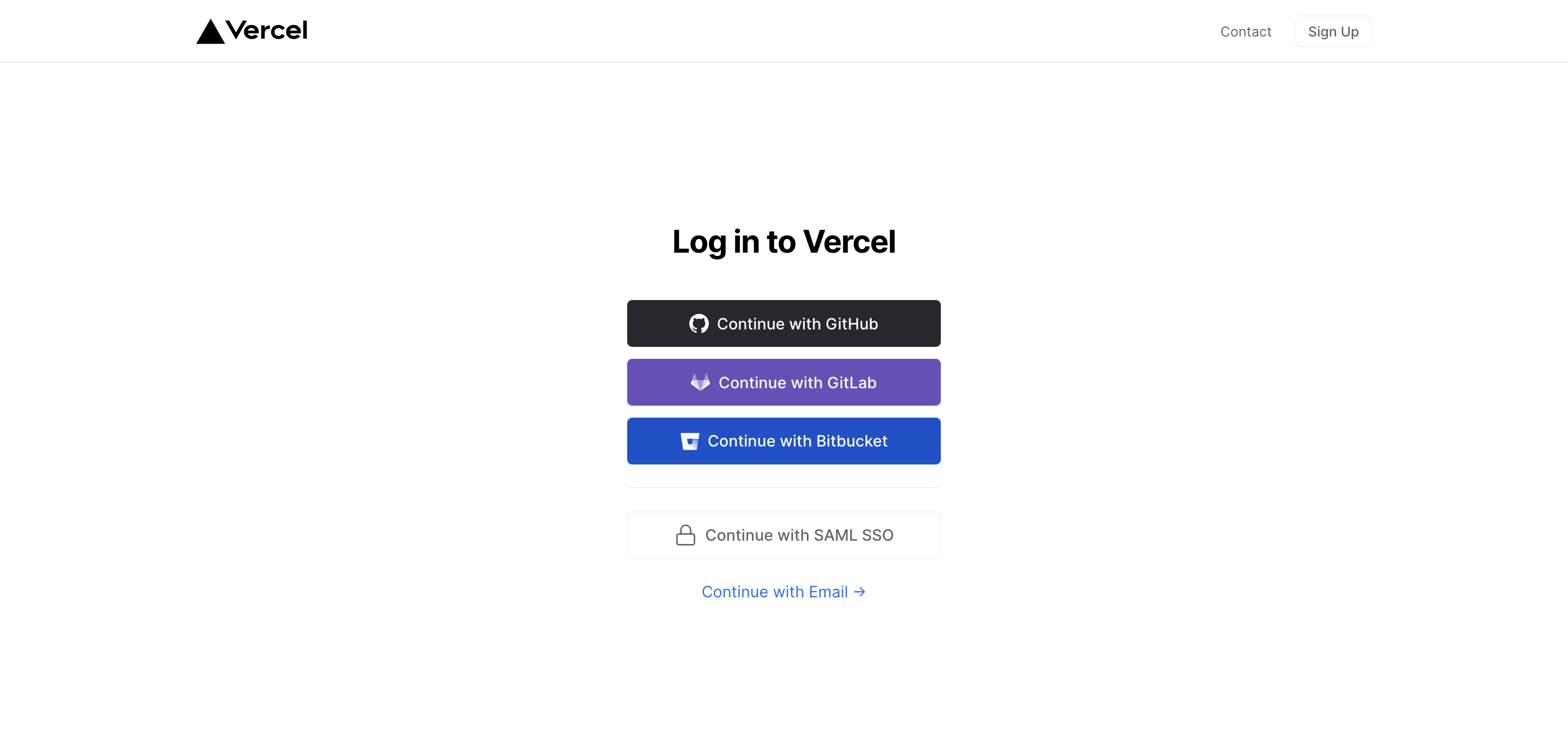
- Sign in to GitHub and allow access to all repositories if prompted.
- Fork this repo.
- Go back to your Vercel dashboard.
- To import a project, click the
Add New...button and select theProjectoption.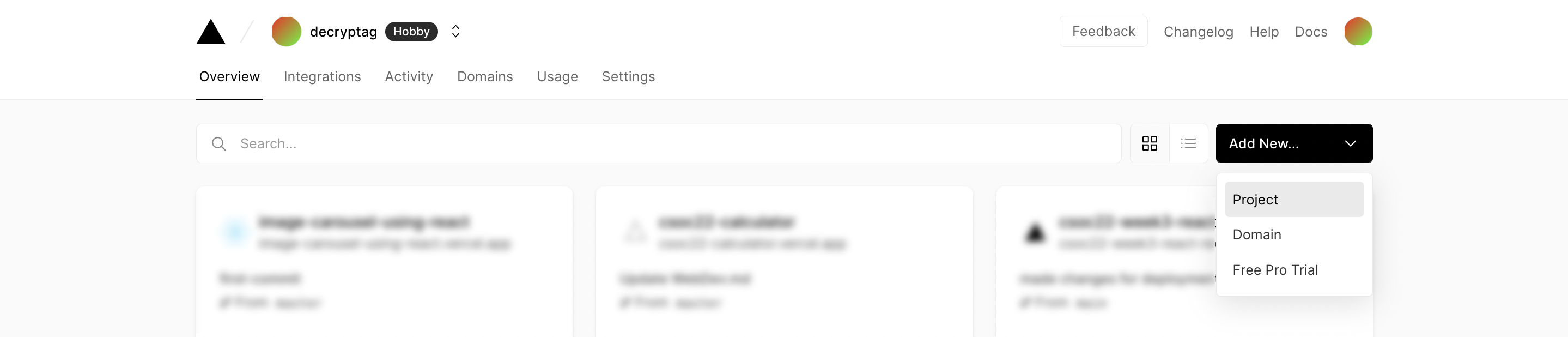
- Click the
Continue with GitHubbutton, search for the required Git Repository and import it by clicking theImportbutton. Alternatively, you can import a Third-Party Git Repository using theImport Third-Party Git Repository ->link at the bottom of the page.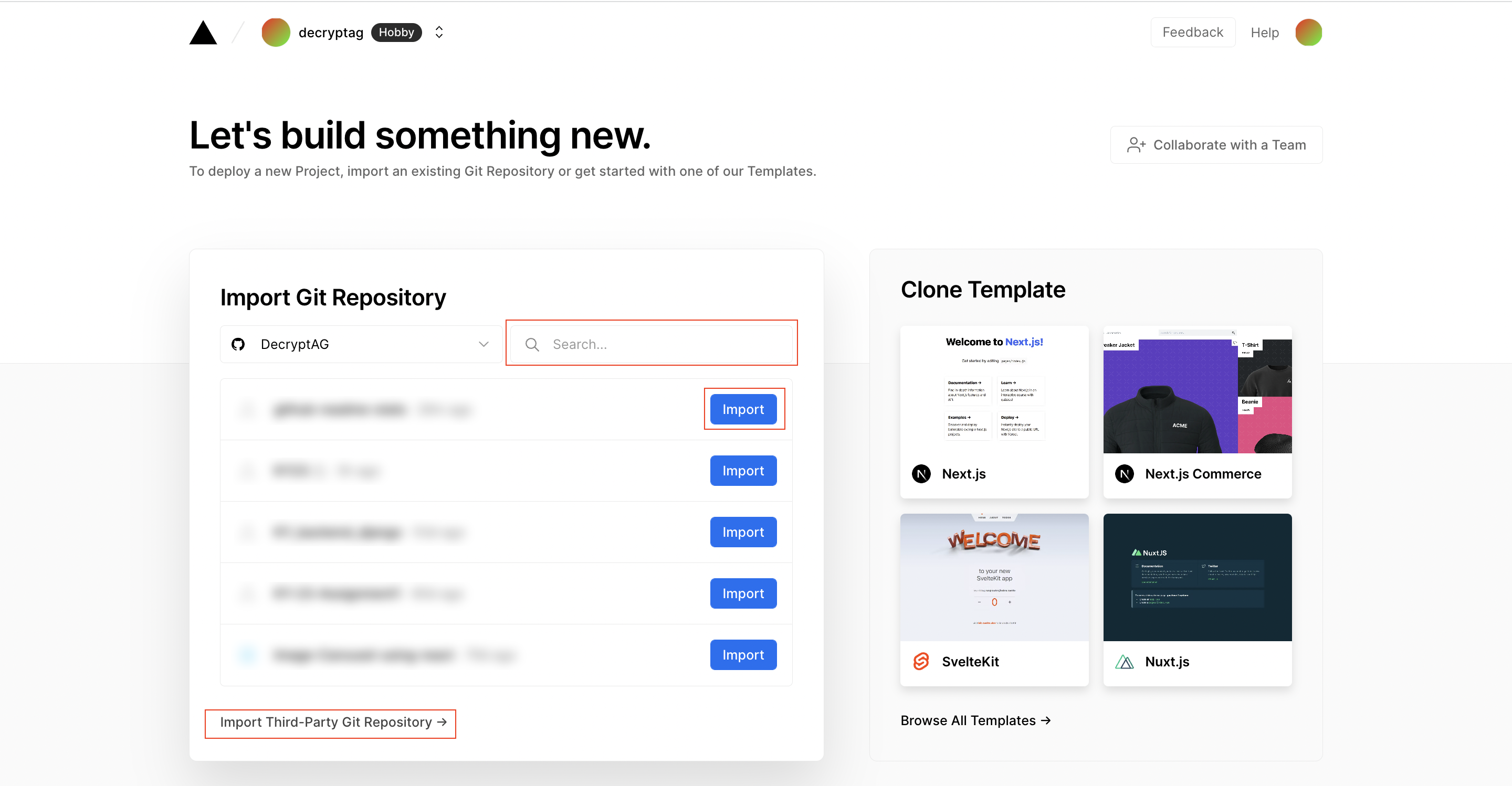
- Create a Personal Access Token (PAT) as described in the previous section.
- Add the PAT as an environment variable named
PAT_1(as shown).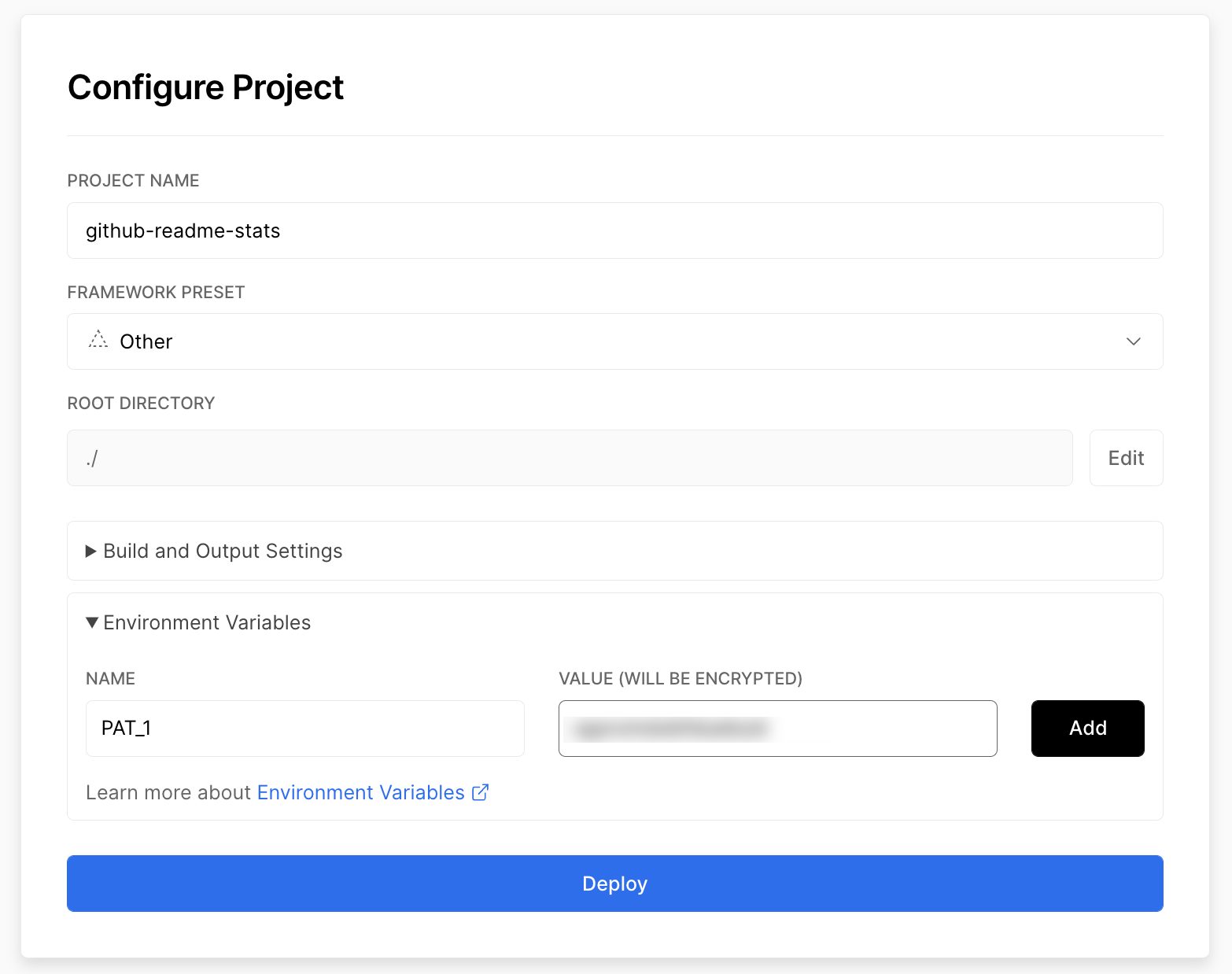
- Click deploy, and you're good to go. See your domains to use the API!
On other platforms
|
â ï¸Warning
This way of using GRS is not officially supported and was added to cater to some particular use cases where Vercel could not be used (e.g. #2341). The support for this method, therefore, is limited. |
:hammer_and_wrench: Step-by-step guide for deploying on other platforms
- Fork or clone this repo as per your needs
- Move
expressfrom the devDependencies to the dependencies section ofpackage.jsonhttps://github.com/anuraghazra/github-readme-stats/blob/ba7c2f8b55eac8452e479c8bd38b044d204d0424/package.json#L54-L61 - Run
npm iif needed (initial setup) - Run
node express.jsto start the server, or set the entry point toexpress.jsinpackage.jsonif you're deploying on a managed service https://github.com/anuraghazra/github-readme-stats/blob/ba7c2f8b55eac8452e479c8bd38b044d204d0424/package.json#L11 - You're done ð
Available environment variables
GitHub Readme Stats provides several environment variables that can be used to customize the behavior of your self-hosted instance. These include:
| Name | Description | Supported values |
|---|---|---|
CACHE_SECONDS |
Sets the cache duration in seconds for the generated cards. This variable takes precedence over the default cache timings for the public instance. If this variable is not set, the default cache duration is 24 hours (86,400 seconds). | Any positive integer or 0 to disable caching |
WHITELIST |
A comma-separated list of GitHub usernames that are allowed to access your instance. If this variable is not set, all usernames are allowed. | Comma-separated GitHub usernames |
GIST_WHITELIST |
A comma-separated list of GitHub Gist IDs that are allowed to be accessed on your instance. If this variable is not set, all Gist IDs are allowed. | Comma-separated GitHub Gist IDs |
EXCLUDE_REPO |
A comma-separated list of repositories that will be excluded from stats and top languages cards on your instance. This allows repository exclusion without exposing repository names in public URLs. This enhances privacy for self-hosted instances that include private repositories in stats cards. | Comma-separated repository names |
FETCH_MULTI_PAGE_STARS |
Enables fetching all starred repositories for accurate star counts, especially for users with more than 100 repositories. This may increase response times and API points usage, so it is disabled on the public instance. | true or false |
See the Vercel documentation on adding these environment variables to your Vercel instance.
|
â ï¸Warning
Please remember to redeploy your instance after making any changes to the environment variables so that the updates take effect. The changes will not be applied to the previous deployments. |
Keep your fork up to date
You can keep your fork, and thus your private Vercel instance up to date with the upstream using GitHub's Sync Fork button. You can also use the pull package created by @wei to automate this process.
:sparkling_heart: Support the project
I open-source almost everything I can and try to reply to everyone needing help using these projects. Obviously, this takes time. You can use this service for free.
However, if you are using this project and are happy with it or just want to encourage me to continue creating stuff, there are a few ways you can do it:
- Giving proper credit when you use github-readme-stats on your readme, linking back to it. :D
- Starring and sharing the project. :rocket:
 - You can make a one-time donation via PayPal. I'll probably buy a
 coffeetea. :tea:
Thanks! :heart:

Contributions are welcome! <3
Made with :heart: and JavaScript.
Top Related Projects
📊 An infographics generator with 30+ plugins and 300+ options to display stats about your GitHub account and render them as SVG, Markdown, PDF or JSON!
🔥 Stay motivated and show off your contribution streak! 🌟 Display your total contributions, current streak, and longest streak on your GitHub profile README
Better GitHub statistics images for your profile, with stats from private repos too
🏆 Add dynamically generated GitHub Stat Trophies on your readme
It counts how many times your GitHub profile has been viewed. Free cloud micro-service.
A tool to generate your GitHub summary card for profile README
Convert designs to code with AI
Introducing Visual Copilot: A new AI model to turn Figma designs to high quality code using your components.
Try Visual Copilot