 github-profile-summary-cards
A tool to generate your GitHub summary card for profile README
Top Related Projects

:zap: Dynamically generated stats for your github readmes

📊 An infographics generator with 30+ plugins and 300+ options to display stats about your GitHub account and render them as SVG, Markdown, PDF or JSON!

🏆 Add dynamically generated GitHub Stat Trophies on your readme

It counts how many times your GitHub profile has been viewed. Free cloud micro-service.

🔥 Stay motivated and show off your contribution streak! 🌟 Display your total contributions, current streak, and longest streak on your GitHub profile README

Better GitHub statistics images for your profile, with stats from private repos too
Quick Overview
GitHub Profile Summary Cards is a project that generates profile summary cards for GitHub users. It creates visually appealing cards displaying various statistics and information about a user's GitHub activity, which can be easily added to GitHub profile READMEs.
Pros
- Enhances GitHub profiles with attractive, informative cards
- Offers a variety of card types and themes
- Easy to set up and integrate into existing profiles
- Automatically updates with the latest GitHub data
Cons
- Requires GitHub Actions to generate and update cards
- Limited customization options for card designs
- May not accurately reflect private repository activity
- Can increase the load time of GitHub profile pages
Code Examples
This project is not primarily a code library, but rather a tool for generating profile cards. However, here are some examples of how to use the cards in your GitHub profile README:
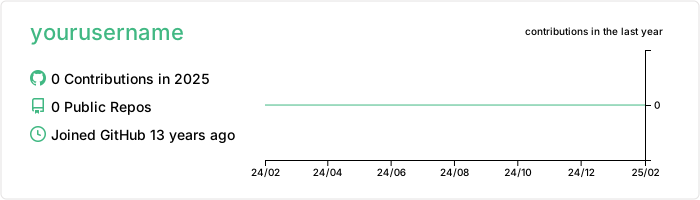
This code generates a profile details card with the Vue theme.
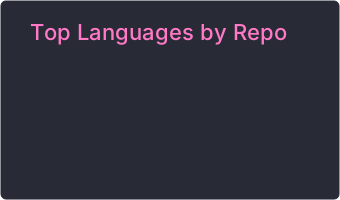
This code creates a card showing the distribution of repositories by language using the Dracula theme.
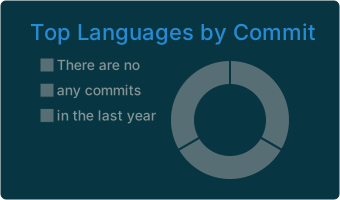
This code displays a card with the most used languages in commits, using the Solarized Dark theme.
Getting Started
To use GitHub Profile Summary Cards in your profile:
- Create a new repository named
yourusername/yourusername - Create a
README.mdfile in this repository - Add the following workflow file to
.github/workflows/profile-summary-cards.yml:
name: GitHub-Profile-Summary-Cards

on:
  schedule: # execute every 24 hours
    - cron: "* */24 * * *"
  workflow_dispatch:

jobs:
  build:
    runs-on: ubuntu-latest
    name: generate

    steps:
      - uses: actions/checkout@v2
      - uses: vn7n24fzkq/github-profile-summary-cards@release
        env:
          GITHUB_TOKEN: ${{ secrets.GITHUB_TOKEN }}
        with:
          USERNAME: ${{ github.repository_owner }}
- Add the desired card URLs to your
README.mdfile as shown in the code examples above.
Competitor Comparisons
:zap: Dynamically generated stats for your github readmes
Pros of github-readme-stats
- More customizable with various themes and layout options
- Provides real-time statistics without requiring manual updates
- Supports additional features like top languages, wakatime stats, and streak stats
Cons of github-readme-stats
- May have performance issues with high traffic or large repositories
- Limited to displaying statistics for individual users, not organizations
- Requires users to expose their GitHub token, which may raise security concerns
Code Comparison
github-readme-stats:
[](https://github.com/anuraghazra/github-readme-stats)
github-profile-summary-cards:
name: GitHub-Profile-Summary-Cards
uses: vn7n24fzkq/github-profile-summary-cards@release
env:
  GITHUB_TOKEN: ${{ secrets.GITHUB_TOKEN }}
Both repositories aim to enhance GitHub profiles with visual statistics, but they differ in implementation and features. github-readme-stats offers more customization and real-time updates, while github-profile-summary-cards provides a comprehensive set of cards that can be generated periodically. The choice between them depends on specific needs, such as desired update frequency, customization options, and security considerations.
📊 An infographics generator with 30+ plugins and 300+ options to display stats about your GitHub account and render them as SVG, Markdown, PDF or JSON!
Pros of metrics
- More comprehensive and customizable, offering a wider range of metrics and visualizations
- Supports plugins for extended functionality and integration with various services
- Provides a web-based interface for easy configuration and preview
Cons of metrics
- More complex setup and configuration process
- Requires more resources to generate and update due to its extensive features
- May have a steeper learning curve for new users
Code comparison
metrics:
- uses: lowlighter/metrics@latest
  with:
    token: ${{ secrets.METRICS_TOKEN }}
    config_timezone: America/New_York
    plugin_languages: yes
    plugin_languages_ignored: html, css
github-profile-summary-cards:
- uses: vn7n24fzkq/github-profile-summary-cards@release
  env:
    GITHUB_TOKEN: ${{ secrets.GITHUB_TOKEN }}
  with:
    USERNAME: ${{ github.repository_owner }}
Both repositories provide GitHub Actions for generating profile statistics, but metrics offers more customization options and plugins. github-profile-summary-cards is simpler to set up and use, focusing primarily on generating summary cards for GitHub profiles. metrics is more feature-rich but may require more time to configure and maintain. The choice between the two depends on the desired level of detail and customization for your GitHub profile.
🏆 Add dynamically generated GitHub Stat Trophies on your readme
Pros of github-profile-trophy
- Focuses on achievements and milestones, providing a gamified experience
- Offers a wider variety of trophies and customization options
- Easier to set up with a single line of markdown
Cons of github-profile-trophy
- Limited to displaying trophies, lacking comprehensive profile statistics
- May not provide as detailed insights into coding habits and language preferences
- Less visually diverse, primarily using a single trophy-style design
Code Comparison
github-profile-trophy:
[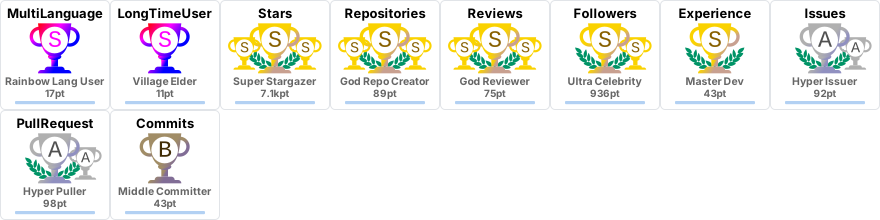](https://github.com/ryo-ma/github-profile-trophy)
github-profile-summary-cards:
name: GitHub-Profile-Summary-Cards
uses: vn7n24fzkq/github-profile-summary-cards@release
env:
  GITHUB_TOKEN: ${{ secrets.GITHUB_TOKEN }}
github-profile-trophy offers a simpler setup with a single line of markdown, while github-profile-summary-cards requires a GitHub Action workflow configuration.
github-profile-summary-cards provides a more comprehensive set of profile statistics and visualizations, including language usage, commit history, and repository details. It offers a broader overview of a user's GitHub activity and coding preferences.
In contrast, github-profile-trophy focuses on gamifying the GitHub experience by showcasing achievements as trophies. It's more suitable for users who want to highlight specific milestones and accomplishments in a visually appealing way.
Both projects serve different purposes and can complement each other in a GitHub profile, providing users with options to showcase their GitHub activity in unique ways.
It counts how many times your GitHub profile has been viewed. Free cloud micro-service.
Pros of github-profile-views-counter
- Focuses specifically on tracking and displaying profile view counts
- Lightweight and easy to implement with minimal configuration
- Provides real-time view count updates
Cons of github-profile-views-counter
- Limited to view count functionality, lacking comprehensive profile statistics
- Doesn't offer visual representations like graphs or charts
- May require additional setup for more advanced customization
Code Comparison
github-profile-views-counter:

github-profile-summary-cards:
name: GitHub-Profile-Summary-Cards

on:
  schedule:
    - cron: "0 0 * * *"
  workflow_dispatch:

jobs:
  build:
    runs-on: ubuntu-latest
    name: generate-github-profile-summary-cards
    steps:
      - uses: actions/checkout@v2
      - uses: vn7n24fzkq/github-profile-summary-cards@release
        env:
          GITHUB_TOKEN: ${{ secrets.GITHUB_TOKEN }}
The github-profile-views-counter provides a simple, single-line implementation for adding view counts to your profile. In contrast, github-profile-summary-cards requires a more complex setup using GitHub Actions to generate comprehensive profile statistics and visualizations.
While github-profile-views-counter excels in simplicity and ease of use for tracking views, github-profile-summary-cards offers a more feature-rich solution for showcasing various aspects of your GitHub activity through customizable cards and graphs.
🔥 Stay motivated and show off your contribution streak! 🌟 Display your total contributions, current streak, and longest streak on your GitHub profile README
Pros of github-readme-streak-stats
- Focuses specifically on GitHub contribution streaks, providing a unique and motivational metric
- Offers extensive customization options for colors, date formats, and localization
- Includes a user-friendly demo site for easy configuration and preview
Cons of github-readme-streak-stats
- Limited to streak statistics, lacking comprehensive GitHub profile information
- Requires more setup and configuration compared to the all-in-one approach of github-profile-summary-cards
Code Comparison
github-readme-streak-stats:
def calculate_streak(contributions):
    current_streak = 0
    longest_streak = 0
    for day in contributions:
        if day > 0:
            current_streak += 1
            longest_streak = max(longest_streak, current_streak)
        else:
            current_streak = 0
    return current_streak, longest_streak
github-profile-summary-cards:
function generateCards(username) {
    const cards = [
        generateContributionCard(username),
        generateLanguageCard(username),
        generateStatsCard(username),
        generateRepoCard(username),
        generateCommitCard(username)
    ];
    return cards;
}
The code snippets highlight the focused approach of github-readme-streak-stats on streak calculations, while github-profile-summary-cards generates a variety of profile summary cards.
Better GitHub statistics images for your profile, with stats from private repos too
Pros of github-stats
- Provides a more detailed breakdown of language usage percentages
- Includes a "Lines of code changed" statistic for a deeper activity overview
- Offers customizable themes for generated images
Cons of github-stats
- Lacks visual graphs and charts for data representation
- Does not provide contribution calendars or commit history visualizations
- Has fewer overall statistics and metrics compared to github-profile-summary-cards
Code Comparison
github-stats:
languages = get_languages(oauth_token)
repos = get_total_repos(oauth_token)
commits = get_total_commits(oauth_token)
github-profile-summary-cards:
const statsData = await getStatsData(token, user);
const contributionsData = await getContributionsData(token, user);
const profileDetails = await getProfileDetails(token, user);
Both projects use API calls to fetch user data, but github-stats focuses on specific metrics like languages and commit counts, while github-profile-summary-cards retrieves a broader range of data including contributions and profile details.
github-stats generates static images with key statistics, whereas github-profile-summary-cards creates multiple cards with various visualizations. The latter offers more comprehensive GitHub profile analytics, but github-stats provides a simpler, more focused approach to displaying GitHub activity.
Convert  designs to code with AI

Introducing Visual Copilot: A new AI model to turn Figma designs to high quality code using your components.
Try Visual CopilotREADME
GitHub Profile Summary Cards
English | ç¹é«ä¸æ | ç®ä½ä¸æ
A tool to generate your github summary card for profile README. Inspired by profile-summary-for-github
:star: This repo is just for fun, feel free to contribute! :star:







Themes
| default | 2077 | dracula | github | github_dark |
 |  |  |  |  |
| gruvbox | monokai | nord_bright | nord_dark | radical |
 |  |  |  |  |
| solarized | solarized_dark | tokyonight | vue | zenburn |
 |  |  |  |  |
| transparent | ||||
 |
How to use (API)
Profile details card
http://github-profile-summary-cards.vercel.app/api/cards/profile-details?username={username}&theme={theme_name}
- Accept url parameters
- theme
- Theme name
- username
- Username
- name
- Optional override for the displayed name/title (e.g.
name=Casper). Defaults tologin (name); long values are elided to fit on one line (~22 chars).
- Optional override for the displayed name/title (e.g.
- theme
Top languages used in repository card

http://github-profile-summary-cards.vercel.app/api/cards/repos-per-language?username={username}&theme={theme_name}&exclude={exclude}
- Accept url parameters
- theme
- Theme name
- username
- Username
- exclude:
- A comma separated list of languages to exclude, e.g., exclude=java,rust,jupyter%20Notebook
- You can represent a space in the language list by using '%20' when you want to include a space.
- You can found the supported languages in here
- A comma separated list of languages to exclude, e.g., exclude=java,rust,jupyter%20Notebook
- exclude_repos:
- A comma separated list of repository names to exclude (case-insensitive), e.g., exclude_repos=dotfiles,my-fork
owner/repoentries also match, e.g., exclude_repos=vn7n24fzkq/dotfiles
- theme
Top languages in commits card

http://github-profile-summary-cards.vercel.app/api/cards/most-commit-language?username={username}&theme={theme_name}&exclude={exclude}
- Accept url parameters
- theme
- Theme name
- username
- Username
- exclude:
- A comma separated list of languages to exclude, e.g., exclude=java,rust,jupyter%20Notebook
- You can represent a space in the language list by using '%20' when you want to include a space.
- You can found the supported languages in here
- A comma separated list of languages to exclude, e.g., exclude=java,rust,jupyter%20Notebook
- exclude_repos:
- A comma separated list of repository names to exclude (case-insensitive), e.g., exclude_repos=dotfiles,my-fork
- Commits can come from other owners' repos, so
owner/repoentries also match, e.g., exclude_repos=someorg/website
- theme
GitHub stats card

http://github-profile-summary-cards.vercel.app/api/cards/stats?username={username}&theme={theme_name}
- Accept url parameters
- theme
- Theme name
- username
- Username
- theme
Productive time card

http://github-profile-summary-cards.vercel.app/api/cards/productive-time?username={username}&theme={theme_name}&utcOffset={utcOffset}
- accept url parameters
- theme
- username
- utcOffset
Custom colors
Every card endpoint also accepts these optional parameters to override individual colors of the selected theme:
title_color, text_color, bg_color, border_color, icon_color, chart_color
Values are hex without the leading # â 3, 4, 6, or 8 digits (the 4/8-digit forms include alpha). Anything else is ignored. For example, the dark theme with a transparent background:
http://github-profile-summary-cards.vercel.app/api/cards/stats?username=vn7n24fzkq&theme=dark&bg_color=00000000
The stats card also accepts hide_logo=true to remove the GitHub logo on the right:
http://github-profile-summary-cards.vercel.app/api/cards/stats?username=vn7n24fzkq&theme=dark&hide_logo=true
Animations ⨠(new)
Cards can now animate! Add an optional animation parameter and the card plays a pure-CSS entrance when it loads â no GIFs, no JavaScript, works right inside your GitHub README. The background/frame appears instantly and the animation plays on the individual pieces (each stat row, each language, each bar), so it reads as the content filling into a ready card.
none (default) · fade · rise · draw · stagger · load · sequence · tint · rgb · rgb-soft
| Preset | What it does |
|---|---|
fade / rise | Content fades in (and gently slides up for rise). |
draw | Bars grow, donut segments pop, and the contributions line draws on. |
stagger | Every piece fades in, one after another. |
load | A coordinated "loading â loaded" assembly: parts stagger in, then the charts draw on. |
sequence | Strict one-by-one reveal: title, each row, each language in order, then the line wipes in from the left along the time axis. |
tint | Content fades in while its colours sweep from a shifted hue back to normal â a soft colour settle. |
rgb | A continuous "gaming RGB" loop â the whole card (background included) cycles through the spectrum, rotating your theme's colours. |
rgb-soft | The same colour cycle, but only the content â the background keeps its theme colour. |
https://github-profile-summary-cards.vercel.app/api/cards/stats?username=vn7n24fzkq&theme=default&animation=load


Speed: every preset has a sensible default. Add duration (in seconds, 0.2â10) to make it faster or slower â it scales the whole thing, including the staggered/draw-on timing (for the rgb presets it's the colour-cycle period):
https://github-profile-summary-cards.vercel.app/api/cards/stats?username=vn7n24fzkq&theme=default&animation=load&duration=3
Any unrecognized animation value is treated as none, an invalid duration falls back to the preset default, and visitors with prefers-reduced-motion set always get the final, un-animated card.
ð Feeling fancy? Turn on the RGB.
Give your profile that gaming-keyboard glow. rgb-soft cycles your card's colours forever while the background stays put:

https://github-profile-summary-cards.vercel.app/api/cards/profile-details?username=YOUR_NAME&theme=github_dark&animation=rgb-soft
Want the whole card â border and all â in on it? Use animation=rgb. Too much? Slow it right down with &duration=10. ð
Organization cards
All endpoints above accept either a user login or an organization login as username. The owner type is auto-detected; no extra parameter is needed.
The same URLs return organization-flavored cards when the login resolves to an organization:
profile-detailsswaps the contributions overlay for a "repos created over time" chart and shows Public Repos / Created at / Email|Location|Website.repos-per-languageandmost-commit-languageaggregate across the organization's public repos (top 50 for the commit card to stay within API rate limits).statsshows Total Stars / Total Repos / Total Forks / Open Issues.productive-timeis not supported for organizations (it relies on per-user contribution data); the endpoint returns a small error card explaining this.
The same GitHub Action setup also works for organizations â set USERNAME to the org login. The generated profile-summary-card-output/ will contain 4 cards per theme instead of 5.
Hosted API vs GitHub Action. On the hosted API (
*.vercel.app), the language and stats cards aggregate your top 100 repositories by stars â this keeps each request within the serverless time limit and light on the shared rate limit. The GitHub Action runs with your own token and no time limit, so it includes all of your repositories. (The total-repo count is exact either way.)
Setting up your GitHub token
Every way of running this project â locally, in a GitHub Action, on Vercel â needs a GitHub personal access token (PAT). If you've never created one, read this section first.
Who owns the token?
A PAT always belongs to a user account, not to an organization. Even when you point this tool at an organization (e.g. microsoft), the token comes from a user â typically you. The token only grants whatever access that user already has. For public data (which is what the cards display), any logged-in GitHub user can read it, so a token from any account works.
The cards only ever display public data, so a token from any user account can render any user or organization â you don't need to be a member of the org or grant any org-specific scope.
Step 1: pick a token type
GitHub offers two PAT styles. Either works for this project.
- Fine-grained PAT (recommended). Newer, scoped to specific repos or orgs, mandatory expiration. Create one at https://github.com/settings/personal-access-tokens/new.
- Classic PAT. Older, broad scopes, optional expiration. Create one at https://github.com/settings/tokens/new.
Step 2: grant the right permissions
For public users and orgs (the typical case), you need very little:
| Token type | What to enable |
|---|---|
| Fine-grained PAT | Repository access: "Public repositories (read-only)". Account permissions: leave defaults â public profile and organization data are read without any explicit grant. |
| Classic PAT | Check public_repo and read:user. |
For private repos (to include private activity in your totals â see below), escalate:
| Token type | What to enable |
|---|---|
| Fine-grained PAT | "Repository access": "All repositories" or pick specific private repos. Read-only is enough. |
| Classic PAT | Add repo (full repo access). |
Always set an expiration (90 days is a good default) and copy the token immediately â GitHub only shows it once.
Step 3: put the token where it needs to go
Where the token lives depends on how you're running the tool. Same token, different home.
Local development (npm run dev, npm run test:local, or vercel dev)
Copy .env.example to .env in the repo root and paste the token in:
GITHUB_TOKEN=your_github_token_here
.env is already in .gitignore â do not commit it. All of the commands below auto-load it.
Three ways to preview locally:
npm run devâ runs the real card handlers on a local server athttp://localhost:3000/and live-reloads on save; type a user or org login to render every card. Best for iterating.npm run test:local -- <login> [utcOffset] [exclude]â renders all cards for one login toprofile-summary-card-output/.vercel devâ full Vercel emulation of the API routes and the/demopage.
GitHub Actions (production card refresh on your profile repo)
Go to the repo where the workflow will run â typically https://github.com/<your-username>/<your-username> â and:
- Click Settings â Secrets and variables â Actions.
- Click New repository secret.
- Name it
SUMMARY_GITHUB_TOKEN(this is the name the example workflow below references). - Paste the token as the value and save.
The workflow file references the secret as ${{ secrets.SUMMARY_GITHUB_TOKEN }}. Never paste the raw token into the YAML.
If you want the bot to push generated cards back to the repo, two options work:
- Built-in
GITHUB_TOKENpluspermissions: contents: writein the workflow (thejobs.buildblock in the example workflow below already includes this line). GitHub's auto-provided token has read-only permissions by default on many repos, so thispermissions:line is what actually grants it push access for scheduled cron runs. - Your own PAT stored under a custom secret name such as
SUMMARY_GITHUB_TOKEN. Useful if you'd rather not adjust workflow permissions, or if your repo's default workflow permissions are locked to read-only.
Vercel (your own deployment of the API)
In your Vercel project: Settings â Environment Variables â Add.
- Key:
GITHUB_TOKEN - Value: paste the token
- Environments: check Production, Preview, and Development.
Redeploy after saving so the new env var takes effect.
Common mistakes
- Committing the token. If
.envshows up ingit status, stop â confirm it matches the entry in.gitignorebefore continuing. If you've already pushed a commit containing a token, revoke it at https://github.com/settings/tokens and create a new one. - Using
${{ secrets.GITHUB_TOKEN }}(the built-in token) without setting workflow permissions. The auto-providedGITHUB_TOKENis often read-only by default. If you want to use it for pushing, addpermissions: contents: writeto the workflow; otherwise switch to your own PAT under a custom secret name (e.g.SUMMARY_GITHUB_TOKEN). - Token created under an org account. Not a thing â GitHub doesn't issue PATs to orgs. Always create from your user
Settings â Developer settings.
Including private-repo activity without exposing repo names
The cards never render private repo names, titles, commit messages, or per-repo star counts â they only show aggregate numbers and language labels. So you can safely have your totals reflect private-repo activity without leaking which repos exist. To enable this you need both a PAT with private read scope and a GitHub profile setting:
-
Scope the token to read private repos.
Token type What to enable Fine-grained PAT (recommended) Repository access: pick the specific private repos you want counted (or "All repositories"). Permissions: Contents: read,Issues: read,Pull requests: read,Metadata: read. Whitelisting specific repos keeps the blast radius small if the token leaks.Classic PAT repo+read:user. Addread:orgif the private repos belong to an organization. Note thatrepois broad â it grants read and write to every private repo your account can see; prefer Fine-grained whenever possible. -
Opt in to private contributions on your profile. Visit https://github.com/settings/profile, scroll to Contribution settings, and check "Include private contributions on my profile." Without this toggle,
contributionsCollectionreturns zero for private activity even with a fully-scoped token.
After both settings are in place, the following counts will include private-repo activity:
- â Stats: Total Commits, Total PRs, Total Issues
- â Profile Details: contribution chart (daily contribution counts in the area chart)
- â Repos Per Language donut
- â Most Commit Language donut
- â Productive Time heatmap
Two counters in the Stats / Profile Details cards stay public-only by design in the current code â Total Stars and Contributed to. Their GraphQL queries hard-code privacy: PUBLIC (see src/github-api/profile-details.ts:55 and :74). If you want private-repo stars to roll up into the Stats card too, remove those filters or set up an opt-in env var â file an issue and we can scope a change.
What the cards still don't expose. Even with everything above enabled, the SVGs never include: repo names, repo descriptions or topics, per-repo star counts, commit messages, author emails, commit SHAs, or issue/PR titles. The worst-case inference from the public cards is something like "this account made N commits last year across mostly-TypeScript repos" â no specific private repo is identifiable.
How to use (GitHub Actions)
This action generate your github profile summary cards and make a commit to your repo. You can also trigger action by yourself after add this action.
:star: Follow tutorial ( Recommendation ) :star:
First step
- Create a Personal access token and add it as a repo secret named
SUMMARY_GITHUB_TOKEN. If you've never done this, see Setting up your GitHub token above for a step-by-step walkthrough including required scopes and where the secret goes. - For additional context, the project's wiki tutorial covers the same ground with screenshots.
Use template ( create a repository )
-
Action already setup in this template, you just need click
use this template buttonto create your profile readme. -
After replace GITHUB_TOKEN with your repo secret and trigger action you can use everything in
profile-summary-card-outputfolder.
Add to exist repository
- Add this action to repo and replace GITHUB_TOKEN in action yml file with your repo secret.
GitHub Actions usage
After the action finished. You can see all of summary cards are in folder which named profile-summary-card-output.
Note: Some summary cards might not be updated in time, because github raw file has cache time.
name: GitHub-Profile-Summary-Cards
on:
schedule: # execute every 24 hours
- cron: "* */24 * * *"
workflow_dispatch:
jobs:
build:
runs-on: ubuntu-latest
name: generate-github-profile-summary-cards
permissions:
contents: write
steps:
- uses: actions/checkout@v4
- uses: vn7n24fzkq/github-profile-summary-cards@release
env: # default use ${{ secrets.SUMMARY_GITHUB_TOKEN }}, you should replace with your personal access token
GITHUB_TOKEN: ${{ secrets.SUMMARY_GITHUB_TOKEN }}
with:
USERNAME: ${{ github.repository_owner }}
# BRANCH_NAME is optional, default to main, branch name to push cards
BRANCH_NAME: "main"
# UTC_OFFSET is optional, default to zero
UTC_OFFSET: 8
# EXCLUDE is an optional comma seperated list of languages to exclude, defaults to ""
EXCLUDE: ""
# AUTO_PUSH is optional, a boolean variable default to true, whether automatically push generated files to desired branch
AUTO_PUSH: true
# THEME is optional; set it to generate only that one theme (e.g. github_dark). Leave empty to generate every theme.
THEME: ""
# ANIMATION is optional; bake a CSS animation into the cards: none | fade | rise | draw | stagger | load | sequence | tint | rgb | rgb-soft. Empty = no animation.
ANIMATION: ""
# DURATION is optional; animation speed in seconds (0.2â10). Only applies when ANIMATION is set. Empty = preset default.
DURATION: ""
# NAME is optional; override the displayed name/title on the profile-details card (elided to ~22 chars). Empty = default "login (name)".
NAME: ""
THEME and ANIMATION are independent:
- neither â every theme, no animation (the default, unchanged).
THEMEonly â just that theme, no animation.ANIMATIONonly â every theme, each with that animation.- both â that one theme with that animation.
Development (Devbox)
This project uses devbox to ensure a reproducible development environment (Node.js 22, Python 3).
1. Setup
# Install devbox
curl -fsSL https://get.jetpack.io/devbox | bash

# Enter shell (installs all dependencies automatically)
devbox shell
2. Local Testing
We provide a script to generate cards locally for visual verification.
Prerequisite: A GITHUB_TOKEN. If you've never created one, follow Setting up your GitHub token above â for local use, copy .env.example to .env and paste your token in.
# Generate cards for a user (defaults to vn7n24fzkq when no login is given)
npm run test:local -- vn7n24fzkq 8

# Generate cards for an organization (auto-detected)
npm run test:local -- microsoft 0

# Optional third arg: comma-separated languages to exclude
npm run test:local -- microsoft 0 java,jupyter%20notebook
Outputs are written to profile-summary-card-output/<theme>/. Open profile-summary-card-output/default/README.md to preview every card in the default theme. When you point this at an organization, the productive-time slot is replaced by 4-productive-time-unsupported.svg so you can verify the explanatory error card the Vercel route would return.
No token? Test the Action's output pipeline with mock data. npm run test:action runs the exact generation flow the GitHub Action uses (theme filtering, animation, duration, name, preview markdown) against local fixtures â no token, no network. It honours the same knobs as the Action inputs, via env vars:
# One theme, sequence animation at 4s, custom title â writes profile-summary-card-output/github_dark/
THEME=github_dark ANIMATION=sequence DURATION=4 NAME="Casper" UTC_OFFSET=8 npm run test:action
# All themes, no animation (the Action's default)
npm run test:action
3. Run the API Locally
A lightweight local dev server is bundled â no Vercel CLI required:
npm run dev
# then open http://localhost:3000/
The dev server mounts the same route handlers used in production (api/cards/*), so requests like http://localhost:3000/api/cards/profile-details?username=<login>&theme=<theme> exercise the exact code path Vercel runs. The index page at / includes a form that renders every card for a given login + theme, plus a theme/animation picker and a Replay button to watch the entrance animation.
No token? No problem. When no GITHUB_TOKEN is set, the dev server automatically serves mock cards from local fixtures â no network calls â which is ideal for iterating on themes and animations. Add &mock=1 to any card URL to force fixtures even when a token is present, or &mock=0 to force live data.
If you'd rather use the real Vercel runtime (closer match to production behaviour but requires linking the repo to a Vercel project):
npm i -g vercel
vercel dev
Deploy your own API on Vercel
Quickly deploy your own version!
Top Related Projects
:zap: Dynamically generated stats for your github readmes
📊 An infographics generator with 30+ plugins and 300+ options to display stats about your GitHub account and render them as SVG, Markdown, PDF or JSON!
🏆 Add dynamically generated GitHub Stat Trophies on your readme
It counts how many times your GitHub profile has been viewed. Free cloud micro-service.
🔥 Stay motivated and show off your contribution streak! 🌟 Display your total contributions, current streak, and longest streak on your GitHub profile README
Better GitHub statistics images for your profile, with stats from private repos too
Convert designs to code with AI
Introducing Visual Copilot: A new AI model to turn Figma designs to high quality code using your components.
Try Visual Copilot